AI Flashcard Generator: flashcards from your PDFs and notes

    Upload a PDF, slides or a photo of your notes, or paste text. QuerySpark writes question, cloze and definition cards, schedules them with spaced repetition, and exports CSV for Anki or Quizlet.

    • No credit card
    • Free plan after the trial
    • Cancel anytime
    Cardiac cycle · Study set

    Drop a PDF, slides or notes

    or paste a YouTube link

    Quick answer

    Is there an AI that makes flashcards?

    Yes. An AI flashcard generator like QuerySpark reads your PDF, slides or notes and writes two-sided cards from them: question and answer cards, cloze cards that hide a key term, and term definitions. You review them with built-in spaced repetition, or export a CSV that Anki and Quizlet can import. Flashcards need a free account, which starts with a 3-day Pro trial and no card.

    • Basic, cloze and definition card types
    • Spaced repetition decides what you review each day
    • CSV export that Anki and Quizlet can import
    • Bring old decks over with Quizlet and Anki text import

    Made for the exams and classes you are studying for

    • NCLEX
    • MCAT
    • AP Biology
    • USMLE Step 1
    • CPA
    • AP US History
    • Pharmacology
    • Anatomy and Physiology
    • LSAT
    • CompTIA Security+
    • Organic Chemistry
    • Microeconomics
    • GCSE Science
    • AP Psychology
    • Bar exam
    • Pathophysiology
    • Calculus
    • IB Biology
    • World History
    • Physics
    • Biochemistry
    • Statistics
    • PMP
    • Intro to Psychology

    Sample output

    Sample flashcards from three subjects

    Pick a subject to load a passage and see the three card types side by side. These are examples; your own cards come from the material you upload.

    Sample passage:

    Want to try the AI live on your own text? The free question generator works without an account.

    Sample cards:

    Pick a sample subject and click the button to see cards here.

    Step by step

    How to make flashcards from a PDF

    The same steps work for slides, Word files and photos of your notes.

    1. 01

      Upload the PDF

      Up to 120 pages per upload. Scanned pages are read with OCR. For a textbook, upload one chapter at a time.

    2. 02

      Pick a card type

      Basic question and answer, cloze, definition, or a mix. Mixed decks suit most subjects.

    3. 03

      Generate

      The deck is ready in about a minute. Skim it first; if a section you need was missed, generate again on that part.

    4. 04

      Review daily

      Rate each card as you go. Spaced repetition brings the hard ones back sooner and the easy ones later.

    One thing to decide up front: flashcards or questions? Flashcards are best for facts you need to produce from memory, like terms, drug doses or dates. If your exam is multiple choice, generate a quiz from the same PDF as well, because recognising the right answer among close options is its own skill. If you are starting from handwritten pages, see turning notes into flashcards.

    Card quality

    What makes a good flashcard

    The generator is told to keep each card to one concept, with a short answer that makes sense on its own. Use the same rules to check any deck before you study it, whichever tool made it.

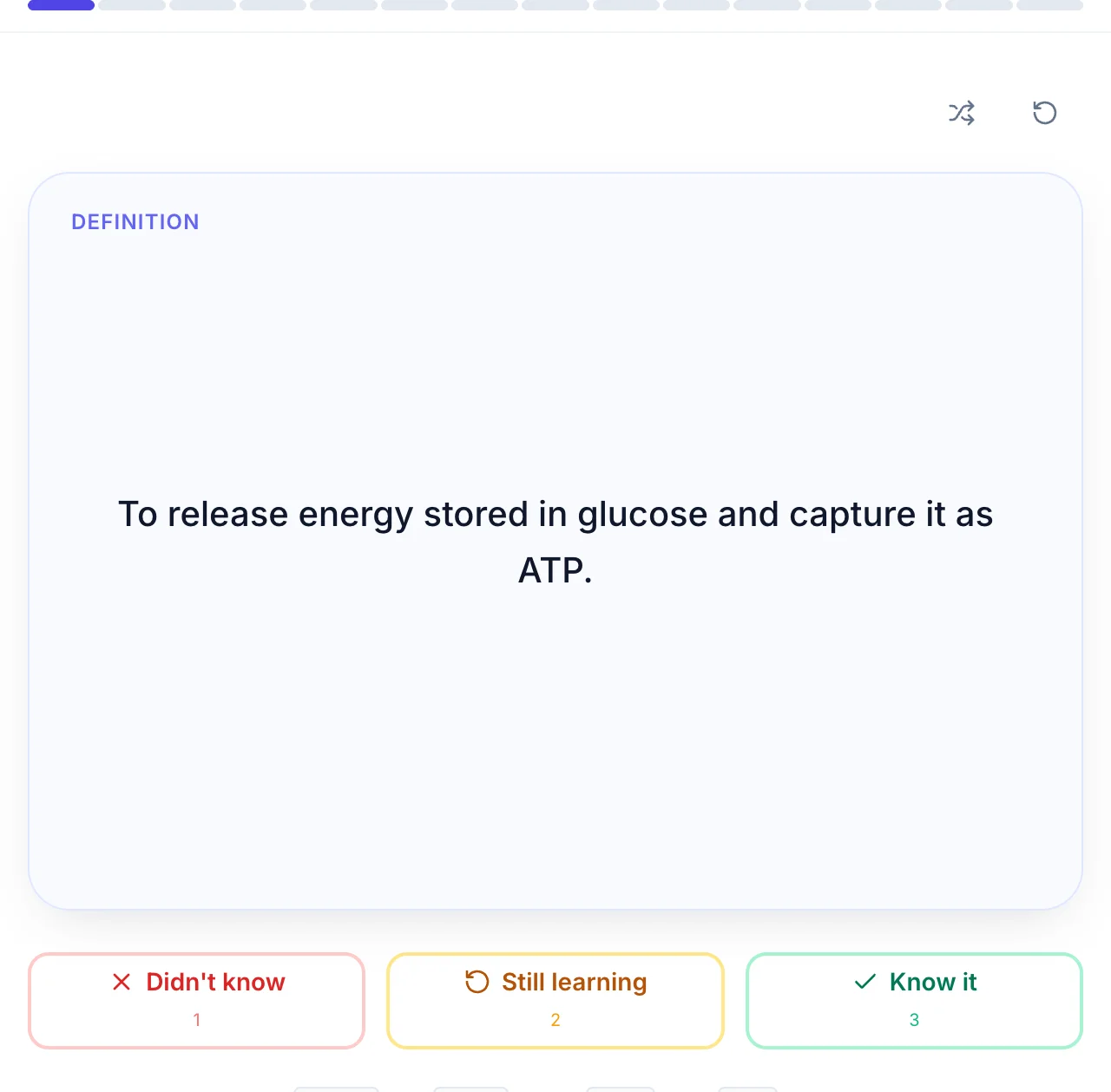
    A flashcard showing a definition with Didn't know, Still learning and Know it buttons

    One fact per card

    "What are the three stages of cellular respiration and where does each happen?" is six facts. Split it, or you will mark it right when you only knew four.

    Cloze for lists and sequences

    A cloze card hides one term inside a sentence, so you recall it in context. It suits steps in a process, dates in a timeline and dosages.

    Definition cards for vocabulary

    Term on the front, meaning on the back. Best for the first week of a subject, when you are still learning its language.

    Short backs

    If the answer runs to a paragraph you will skim it instead of recalling it. Long answers belong in practice questions or a study guide.

    Can ChatGPT make flashcards?

    Yes. You can upload a PDF or a PowerPoint to ChatGPT, or paste your notes, and ask for flashcards. For a one-off set that is a reasonable approach. What you get back is text in a chat, so you still have to move it into a flashcard app, and ChatGPT does not schedule your reviews or remember which cards you keep missing.

    If you use it for Anki, ask for a format Anki can import: "Make 30 flashcards from this PDF, one per line, front and back separated by a semicolon, no numbering." Save the reply as a .txt file and import it. For Quizlet, ask for a tab between front and back and paste the result into Quizlet's import box.

    An AI flashcard generator removes the copying and formatting: the deck lands in a spaced repetition schedule straight away, and you can still export it as CSV if you prefer to review elsewhere.

    AI flashcard generator for Anki

    Generate the deck in QuerySpark, then export it as CSV. The file has two columns, Front and Back, with a header row. In Anki desktop:

    1. Choose File, then Import, and pick the CSV.
    2. Set the field separator to Comma and choose the deck and note type (Basic works).
    3. Map the first column to Front and the second to Back.
    4. Delete the card that holds the header row ("Front" / "Back") if your Anki version imports it.

    Anki then schedules the cards with its own algorithm. If you already have years of reviews in Anki, that is a good setup: let the AI write the cards, and keep reviewing where your history lives. See QuerySpark vs Anki for when each makes sense.

    AI flashcard generator for Quizlet

    The route into Quizlet is the same CSV. Open it in Google Sheets or Excel, select the Front and Back columns below the header, and copy. When you create a Quizlet set, choose Import, paste, and pick Tab between term and definition and New line between cards. Each row becomes one card.

    Going the other way works too: QuerySpark can import Quizlet and Anki cards exported as text, so an old deck can sit next to new AI-generated ones. Comparing the two apps? Read QuerySpark vs Quizlet.

    How many flashcards should I study a day?

    Count new cards, not total cards. For most students 10 to 20 new cards a day is sustainable; Anki's default is 20. The reason to keep it modest is that every new card brings reviews over the following days and weeks, so after a couple of weeks your daily reviews can be several times your new cards.

    Work backwards from the exam: a 600-card deck at 20 new cards a day takes 30 days to see once. If the exam is in three weeks, raise new cards to about 30 a day, or cut the deck to what is actually examined. And if a day's reviews take more than an hour, stop adding new cards for a few days rather than skipping reviews.

    What is the best AI flashcard maker?

    The best one writes cards you would have written yourself and gets out of the way. Judge any tool, including this one, on five things: does it read your material (scanned PDFs, slides, handwriting); does it keep cards to one fact each; does it offer cloze as well as basic cards; does it schedule reviews with spaced repetition; and can you take the deck elsewhere as CSV.

    If you only need to memorise a standard list, such as the bones of the hand, a pre-made deck may be faster than generating one; there are free public sets in Exploreyou can study without an account. Generating pays off when the deck has to match your lecturer's notes rather than a textbook's.

    Pricing

    Is the AI flashcard generator free?

    Free to start with a 3-day Pro trial and no card. Here is what continues after it.

    Free

    After your 3-day Pro trial

    • Keep everything you already made
    • 20 flashcards a month
    • 20 questions and 1 study guide a month
    • 10 PDF pages a month, files up to 5 MB
    Start Free

    Student

    $9/month, or $7/month billed yearly

    • 1,000 flashcards and 1,000 questions a month
    • 500 PDF pages and 50 YouTube videos a month
    • Files up to 20 MB
    • Spaced repetition, practice tests and exports
    View Pricing

    Export

    Export Your Flashcards

    Decks export as CSV. The questions in the same study set export in more formats.

    Flashcards: CSV

    Front and Back columns. Opens in Excel or Google Sheets and imports into Anki and Quizlet.

    Questions: eight formats

    PDF, Word, plain text, Markdown, CSV, JSON, QTI for Canvas, Blackboard and D2L, and Moodle XML.

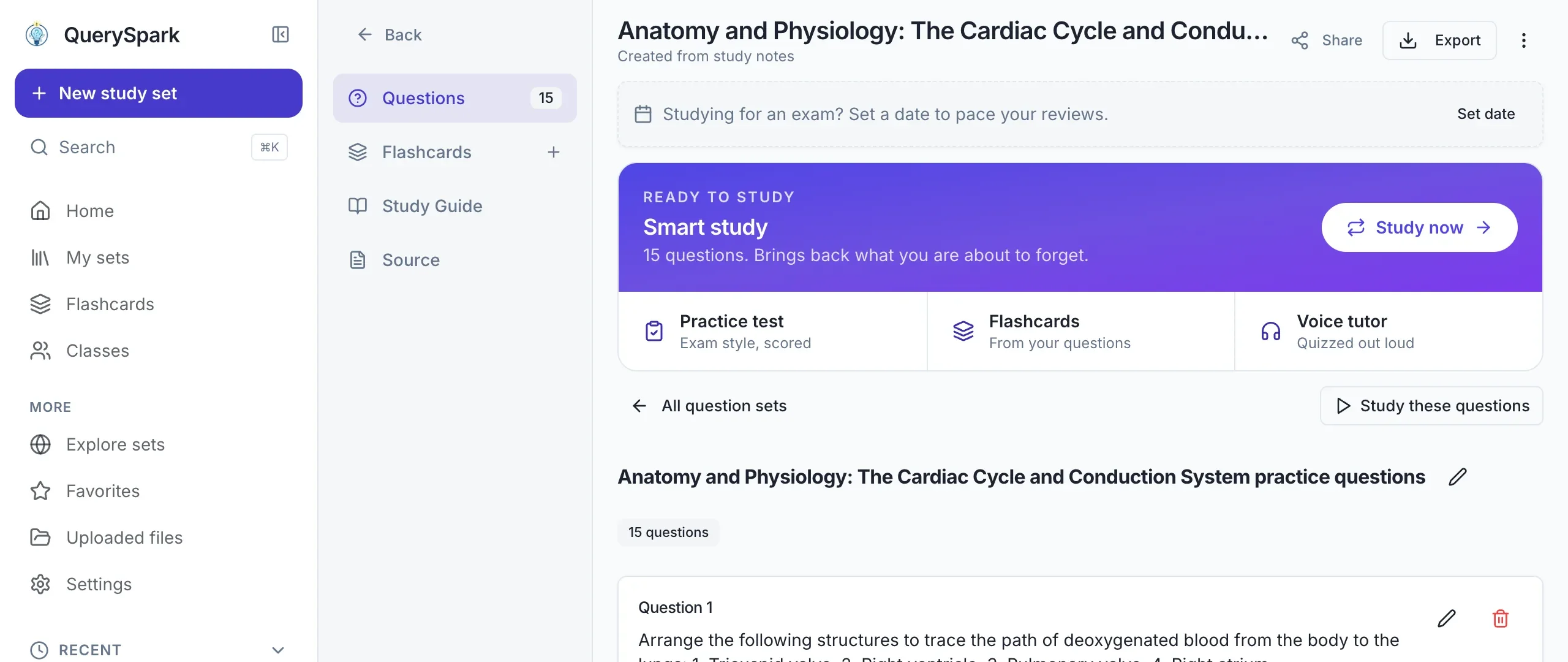
    A QuerySpark study set on the cardiac cycle with its questions, flashcards, study guide and an Export button

    Popular study sets

    Made with QuerySpark from real course material. Open one and start studying, no account needed.

    Frequently asked questions

    Yes. AI flashcard generators such as QuerySpark read your PDF, slides or notes and write the cards for you: question and answer cards, cloze cards and definition cards. You can study them with built-in spaced repetition or export them as CSV.

    It is free to start. Flashcards need a free account, which begins with a 3-day Pro trial with no card. After the trial the free plan includes 20 flashcards a month. Student ($9/month) includes 1,000.

    Yes. Upload the PDF and ask for cards in a two-column format. You then copy them into a flashcard app yourself, and ChatGPT does not schedule reviews. An AI flashcard generator does both steps: it writes the cards and keeps them in a spaced repetition deck.

    Yes, if you ask for one card per line with a separator Anki can read, such as front;back. Save the text as a .txt or .csv file and import it in Anki with File, Import. QuerySpark's CSV export works the same way, without the formatting step.

    Yes, as CSV. A deck exports with Front and Back columns. Anki imports the CSV directly. For Quizlet, copy the two columns from a spreadsheet and paste them into Quizlet's import box with Tab selected. There is no one-click sync to either app.

    Create a free account, upload the PDF (up to 120 pages, scanned pages are read with OCR), choose flashcards and a card type, and generate. Cards are ready in about a minute and go straight into spaced repetition.

    For most students, 10 to 20 new cards a day is sustainable. Each new card brings reviews over the following days, so your daily total grows to several times the number of new cards. If reviews take over an hour, add fewer new cards until it settles.

    Yes. Scanned pages and photos of notes are read with OCR, including neat handwriting. Very messy handwriting can lose words, which shows up as vague cards.

    Yes. QuerySpark can import Quizlet and Anki cards exported as text, so you can review old decks alongside new AI-generated ones.

    No. Decks and uploads are private by default and never used to train AI models. You can delete them whenever you like.

    Still stuck? Email us.

    Turn this week's notes into a study-ready deck in about a minute

    Start a 3-day Pro trial with no credit card, upload your notes, and keep the deck you make.