AI Question Generator: free practice questions from your notes

    Paste up to 6,000 characters of notes or textbook text and get multiple-choice questions with explanations. Free 3 times a day, no account. Sign up to generate from PDFs, slides and videos.

    • No credit card
    • Free plan after the trial
    • Cancel anytime
    Cardiac cycle · Study set

    Drop a PDF, slides or notes

    or paste a YouTube link

    Quick answer

    What is an AI question generator?

    An AI question generator reads text you give it and writes questions that test whether you know it, with the correct answer and an explanation. The one below is free with no sign-up: paste up to 6,000 characters of notes and get five multiple-choice questions, 3 times a day. A free account adds PDFs, slides, videos, other question types and saved study sets.

    • No account for pasted text
    • Up to 6,000 characters per try
    • 3 tries a day per visitor
    • Explanation and a supporting quote for each answer

    Free, no sign-up

    Try it on your own notes

    Paste a paragraph or two from your notes or textbook and get real multiple-choice questions with explanations. Three tries a day, no account needed.

    489 / 6,000 characters

    Your questions appear here. Pick an answer to see whether you were right and why.

    Want flashcards, a study guide and PDF uploads too? Start a free 3-day Pro trial

    Made for the exams and classes you are studying for

    • NCLEX
    • MCAT
    • AP Biology
    • USMLE Step 1
    • CPA
    • AP US History
    • Pharmacology
    • Anatomy and Physiology
    • LSAT
    • CompTIA Security+
    • Organic Chemistry
    • Microeconomics
    • GCSE Science
    • AP Psychology
    • Bar exam
    • Pathophysiology
    • Calculus
    • IB Biology
    • World History
    • Physics
    • Biochemistry
    • Statistics
    • PMP
    • Intro to Psychology

    Free vs account

    What the free generator does, and what an account adds

    The generator above is the real thing, not a sample. An account changes what you can feed it and what you get back.

    No sign-up generatorFree account
    What you can give itPasted text, 50 to 6,000 charactersPDFs, Word, PowerPoint, photos of notes, recordings, YouTube links, web articles and text
    Question typesMultiple choiceMultiple choice, true/false, short answer, essay
    Questions per goFiveUsually 10 to 20
    ExplanationsOn every answer, with a supporting quoteOn every answer; most also show the source passage
    How often3 times a day3-day Pro trial, then 20 questions a month free
    Saved and reviewed laterNoSaved study sets with spaced repetition
    Flashcards, study guides, practice testsNoYes
    ExportNoPDF, Word, text, Markdown, CSV, JSON, QTI, Moodle XML

    Need more than the free plan? Student is $9/month for 1,000 questions a month. See pricing.

    By source

    Generate questions from text, PDF, PPT or YouTube

    What changes with each kind of material, and how to get good questions from it.

    AI question generator from text

    Pasted text is the quickest route and the one the free generator above uses. It needs at least 50 characters and takes up to 6,000, which is roughly 900 to 1,000 words, about two pages of a textbook.

    Five questions from 1,000 words means the generator has to choose. It will go for the facts and relationships the passage states most clearly, so if a definition matters, make sure the passage actually states it rather than assuming it. For a long chapter, paste it in sections and run each one, rather than squeezing the whole thing into one try.

    AI question generator from PDF

    With a free account, upload the PDF itself instead of copying text out of it. One upload can be up to 120 pages, and scanned pages are read with OCR, so photocopied handouts work too. The free plan covers 10 PDF pages a month after the trial; Student covers 500.

    The PDF to quiz generator page covers what makes a PDF produce good or weak questions, and how to move the result into Quizlet.

    AI question generator from PPT slides

    Upload the .pptx file directly. The catch with slides is that they are written to be talked over: a slide that says "Krebs cycle: 3 key outputs" does not say what the outputs are, so neither can the question.

    Two fixes: keep your speaker notes in the file, because they usually hold the explanation, or upload your lecture notes for the same session alongside. The PowerPoint to quiz tool goes into slides in more detail.

    AI question generator from a YouTube video

    Paste the link and questions are written from the video's transcript. Most lectures and tutorials have captions, either uploaded or auto-generated, and those work. A video with no captions or transcript at all may not work, because there is nothing for the AI to read.

    If you have the recording as a file, upload it instead (up to 25 MB) and it is transcribed. The free plan includes 1 YouTube video a month. More in YouTube video to quiz.

    Quality check

    How to tell if an AI-generated question is any good

    Run these checks on the questions you get from any generator, ours included.

    1. It makes sense on its own. "According to the passage, what happens next?" is useless a week later. A good stem names the topic.
    2. The answer is in your material. Check the quoted passage. If the answer relies on something your notes never said, it is testing the AI's knowledge, not yours.
    3. The wrong options are plausible. If you can rule out three options without knowing the topic, the question is only testing reading.
    4. The explanation says why. "B is correct" teaches nothing. A good explanation tells you why B is right and why the closest wrong option is wrong.
    5. Exactly one answer is right. If two options could both be defended, edit or drop the question.
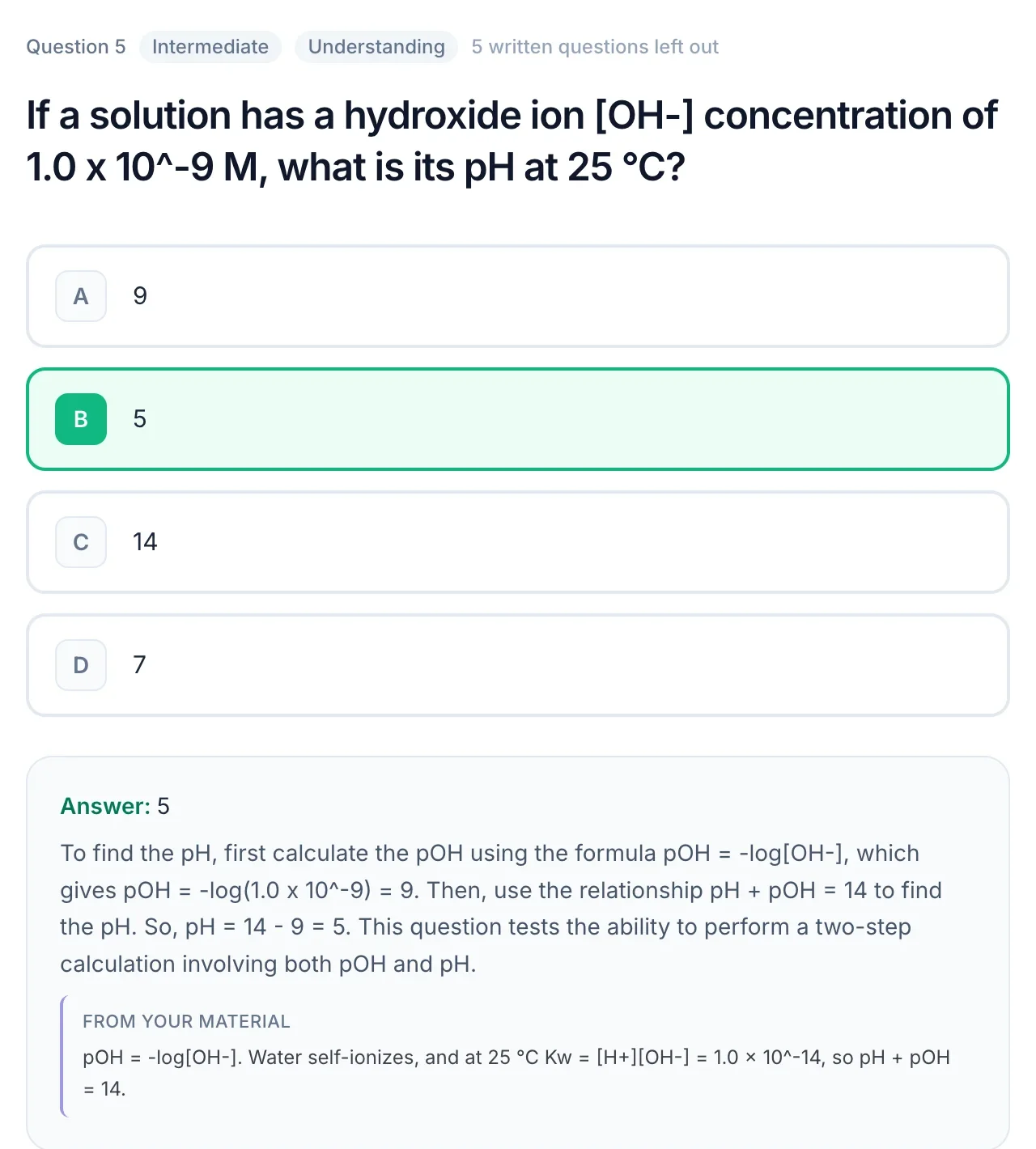
    A practice question about pH with the correct answer, a worked explanation and a quote from the source material
    A student thinking at a desk with a laptop

    Who it is for

    A free AI question generator for students

    The cheapest way to use it: run the no-sign-up generator on the passages you find hardest, and save the free plan's 20 questions a month for whole files. If you are studying for one big exam, the 3-day trial is best started the week you have the most material to process.

    Teachers use the same generator differently: to draft questions from a reading, edit them, and assign them to a class. That workflow has its own page, the AI question generator for teachers.

    Popular study sets

    Made with QuerySpark from real course material. Open one and start studying, no account needed.

    Frequently asked questions

    Yes. The generator on this page is free with no account: paste text and get multiple-choice questions with explanations, 3 times a day. With a free account you also get a 3-day Pro trial with no card, then 20 generated questions a month on the free plan.

    Not for pasted text. The generator on this page works without an account for up to 6,000 characters at a time, 3 times a day. Uploading PDFs, slides or videos, and making flashcards or study guides, needs a free account.

    Each try returns five multiple-choice questions, each with an explanation and a short quote from your text that supports the answer. With an account, a run usually gives 10 to 20 questions.

    Yes, with a free account. Upload a PDF of up to 120 pages; scanned pages are read with OCR. Without an account, copy text out of the PDF and paste it into the generator on this page.

    Yes. Upload the .pptx file and questions are written from the slide text. Slides with only a few words each give thin questions, so include speaker notes or add your lecture notes.

    Yes. Paste the YouTube link and QuerySpark works from the video's transcript. Videos without captions or a transcript may not work. If you have the recording as a file, you can upload it instead and it is transcribed.

    With an account: multiple choice, true/false, short answer and essay, each with one correct answer and an explanation. The no-sign-up generator on this page writes multiple choice only.

    Yes. Teachers can edit generated questions, assign them to a class that joins with a code, see each student's progress and scores, and export to QTI (Canvas, Blackboard, D2L), Moodle XML, Word or PDF.

    Yes. Your uploads are private by default, are never used to train AI models, and you can delete them at any time.

    Still stuck? Email us.

    Liked the questions? Try it on a whole PDF.

    Create a free account to generate from PDFs, slides and videos. 3-day Pro trial, no credit card required.