PDF to Quiz Generator: turn any PDF into a practice test

    Upload a textbook chapter, lecture notes or a research paper. QuerySpark writes multiple choice, true/false, short answer and essay questions from it, each with the answer explained, in about a minute.

    • No credit card
    • Free plan after the trial
    • Cancel anytime
    Cardiac cycle · Study set

    Drop a PDF, slides or notes

    or paste a YouTube link

    Quick answer

    How do you turn a PDF into a quiz?

    Upload the PDF to a PDF to quiz generator such as QuerySpark, choose the question types you want, and it writes a quiz from the text in about a minute: usually 10 to 20 questions per run, each with one correct answer and an explanation. Scanned pages are read with OCR. It is free to start with a 3-day Pro trial and no card, then 10 PDF pages a month on the free plan.

    • Up to 120 pages per upload, scanned or text-based
    • Multiple choice, true/false, short answer and essay
    • Most questions show the passage they were written from
    • Export to CSV, Word, PDF, QTI or Moodle XML

    Made for the exams and classes you are studying for

    • NCLEX
    • MCAT
    • AP Biology
    • USMLE Step 1
    • CPA
    • AP US History
    • Pharmacology
    • Anatomy and Physiology
    • LSAT
    • CompTIA Security+
    • Organic Chemistry
    • Microeconomics
    • GCSE Science
    • AP Psychology
    • Bar exam
    • Pathophysiology
    • Calculus
    • IB Biology
    • World History
    • Physics
    • Biochemistry
    • Statistics
    • PMP
    • Intro to Psychology

    Step by step

    How to make a quiz from a PDF

    Four steps, and the choices that make the difference between a quiz that tests you and one that only feels like it does.

    1. 01

      Trim the PDF to what you are tested on

      One chapter or one week of slides beats a whole textbook. Leave out the index, references and practice answers at the back, so questions are not wasted on them.

    2. 02

      Upload it

      Drag the file in. Text-based PDFs are read directly; scanned pages go through OCR. One upload can be up to 120 pages, so split longer books by chapter.

    3. 03

      Pick question types

      Multiple choice is fastest to drill. Add short answer or essay when the exam asks you to explain, not just recognise. A run takes about a minute.

    4. 04

      Study it, then check your misses

      Answer each question before looking. When you miss one, read the explanation and the quoted passage, then let spaced review bring it back later.

    A worked example: a 34-page biology chapter on cellular respiration, uploaded as a text PDF, is a good size for one run. You get a set of multiple-choice questions that you can take as practice questions, or as a scored practice test once you think you know it. Ten to twenty questions will not cover every fact in 34 pages, so once you have worked through the first set, generate a second one on the sections it did not reach.

    Want flashcards from the same file instead? The same upload can also make a flashcard deck from your PDF or a study guide, so you are not uploading it three times.

    Can ChatGPT create a quiz from a PDF?

    Yes. ChatGPT can read an uploaded PDF and write quiz questions when you ask it to, and for a quick quiz on a short document it does a decent job. The work shifts to you as the file gets longer and the studying gets more serious: you write and refine the prompt, check that the questions cover the whole document rather than the first few pages, reformat the answers if you want them in Quizlet, Anki or an LMS, and remember to come back to the ones you got wrong.

    If you use ChatGPT, a specific prompt helps: "Write 15 multiple-choice questions from chapter 3 of this PDF. Give four options, one correct answer, a one-line explanation, and quote the sentence each answer comes from." Asking for the quote makes made-up answers easier to spot.

    QuerySpark handles those steps for you. The quiz arrives as a study set with the explanation next to every answer, the source passage on most questions, eight export formats and spaced review for your misses. ChatGPT is the better tool when you want to talk a concept through; a dedicated generator is the better tool when you want to drill a chapter until you know it.
    Is there a free PDF to quiz maker?

    Yes, with limits, and it is worth knowing exactly where they are. Every new QuerySpark account gets a 3-day Pro trial with no credit card. When it ends you move to the free plan, which includes 10 PDF pages, 20 generated questions and 1 study session a month, with files up to 5 MB. Everything you made during the trial stays in your account.

    No sign up: uploading a PDF needs a free account, but the no sign-up question generator takes pasted text. Copy a page or two out of your PDF (up to 6,000 characters), paste it in, and you get multiple-choice questions with explanations, 3 times a day.

    Unlimited: we do not offer unlimited free generation. If you need a lot, Student is $9/month (or $7/month billed yearly) for 500 PDF pages and 1,000 questions a month, and Educator removes the monthly caps. See full pricing.

    PDF to Quizlet: moving your questions into a Quizlet set

    QuerySpark does not publish straight into Quizlet, but the move takes a couple of minutes:

    1. Generate the quiz from your PDF, then export it as CSV with answers included.
    2. Open the CSV in Google Sheets or Excel. It has a column for the question text and one for the correct answer.
    3. Copy those two columns. Copying from a spreadsheet gives you tab-separated text.
    4. In Quizlet, create a set, choose Import, paste, and select Tab between term and definition.

    Each question becomes a term with its answer as the definition. The wrong options and the explanation stay behind, because Quizlet's import only takes term and definition pairs. If you want classic two-sided cards in Quizlet, generate a flashcard deck instead; its CSV has just Front and Back columns. More on that in QuerySpark vs Quizlet.

    Test generator from PDF: practice tests and teacher quizzes

    For students, practice test mode turns the same PDF into a scored run: you answer every question first, see your score at the end, then work through explanations for the ones you missed. It is the closest thing to sitting the exam, which makes it a better final check than flicking through questions one at a time.

    For teachers, generate from your handout or reading, edit any question you would word differently, then either export it (QTI for Canvas, Blackboard and D2L, Moodle XML, or Word and PDF for a paper test) or assign it inside QuerySpark to a class that joins with a code. You see each student's progress and score. Read every question before it goes to students; the AI can misread a table or miss context the rest of your course supplies. The question generator for teachers page covers the classroom side in detail.

    Choosing a tool

    What is the best AI to make questions from a PDF?

    It depends on what you will do with the questions. Check these before you pick one, then use the table for the trade-offs.

    • Does it read your kind of PDF? Scanned handouts need OCR; a 300-page textbook needs a tool that lets you work chapter by chapter.
    • Can you see where each answer came from? A quoted source passage lets you catch a wrong answer key in seconds.
    • Does it write the formats your exam uses? Recognising an answer and explaining it are different skills.
    • Can you get the questions out? CSV for Anki and Quizlet, QTI or Moodle XML for an LMS, Word or PDF for paper.
    • Does it bring your misses back? A quiz you take once is a check. A quiz that returns what you missed is how you learn it.
    QuerySparkChatGPTWriting it yourself
    Setup each timeUpload, pick question typesWrite and refine a promptNone, but hours of writing
    Explanation for each answerAlwaysIf you ask for itIf you write one
    Source passage shownOn most questionsIf you ask for itNot applicable
    Export to CSV, QTI, Moodle XMLBuilt inCopy and reformatManual
    Missed questions come back laterSpaced reviewNoOnly if you schedule it
    Best forDrilling a chapter until you know itOne-off quizzes and talking answers throughA few high-stakes exam items
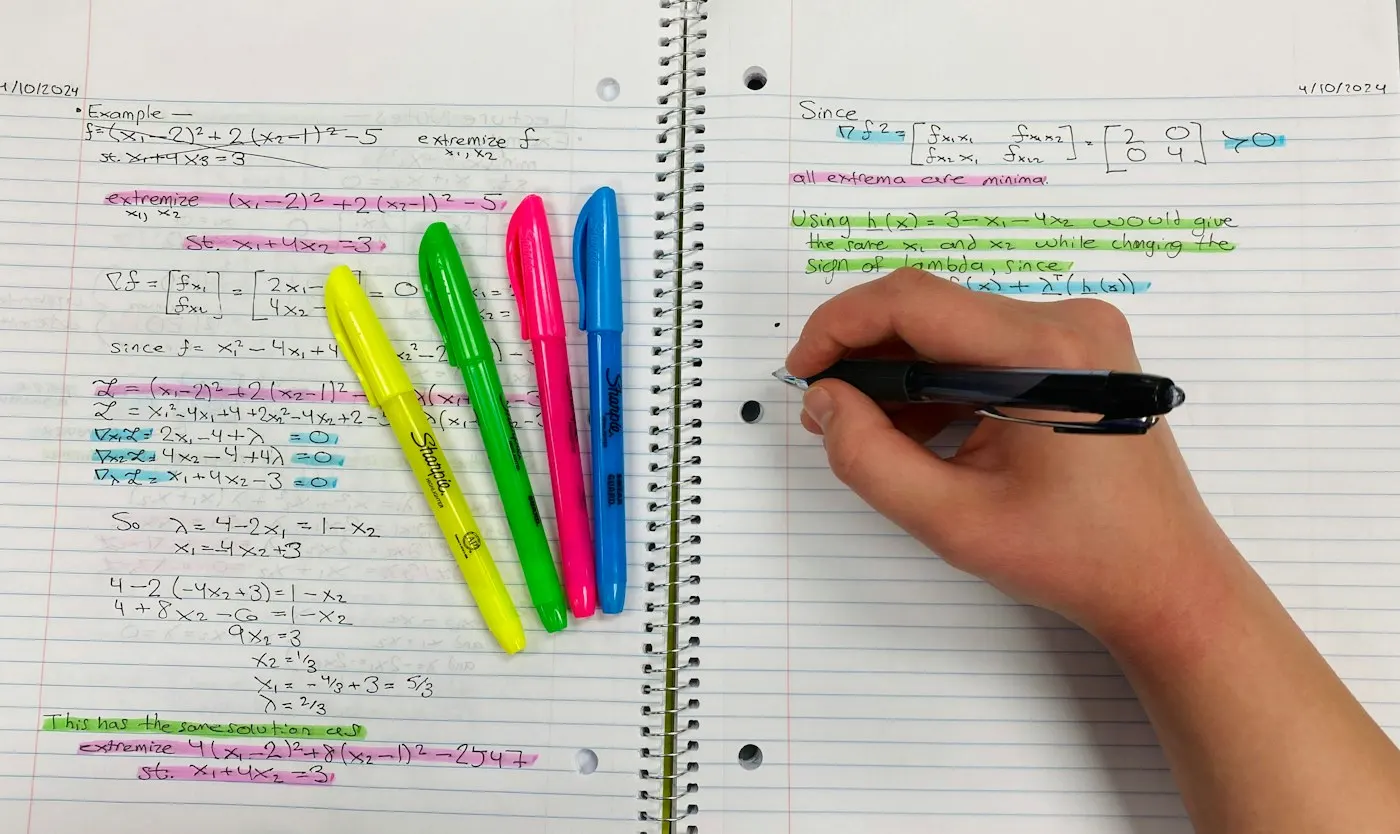
    Handwritten study notes and a highlighter on a desk

    Troubleshooting

    When a PDF makes a weak quiz, and how to fix it

    • Faint or crooked scans. OCR drops words it cannot read, and the questions turn vague. Rescan flat, in good light, or use the publisher's text PDF if you have it.
    • Slides saved as PDF. Six words a slide is not much to write questions from. Upload the deck with its speaker notes, or add your lecture notes alongside. The PowerPoint to quiz tool takes the .pptx directly.
    • Ideas that only live in a diagram. Questions are written from text, so a labelled figure with no caption may be skipped. Add a sentence describing it to your notes.
    • Questions feel too easy. Switch on short answer or essay, or generate again on a narrower section.
    • An answer looks wrong. Check the quoted passage under the explanation. If the AI misread it, edit the question; every one is editable.

    Examples

    Example questions from three PDFs

    The kind of questions a run produces from a biology, history and computer science chapter.

    BiologyCell Respiration
    1. Q1: What is the primary purpose of cellular respiration?
    2. Q2: Which organelle is responsible for cellular respiration?
    3. Q3: What are the three main stages of cellular respiration?
    HistoryCold War
    1. Q1: What event is considered the beginning of the Cold War?
    2. Q2: Name the two superpowers involved in the Cold War.
    3. Q3: What was the Marshall Plan and why was it significant?
    Computer ScienceAlgorithms
    1. Q1: What is the time complexity of binary search?
    2. Q2: Explain the difference between breadth-first and depth-first search.
    3. Q3: What are the characteristics of a good sorting algorithm?
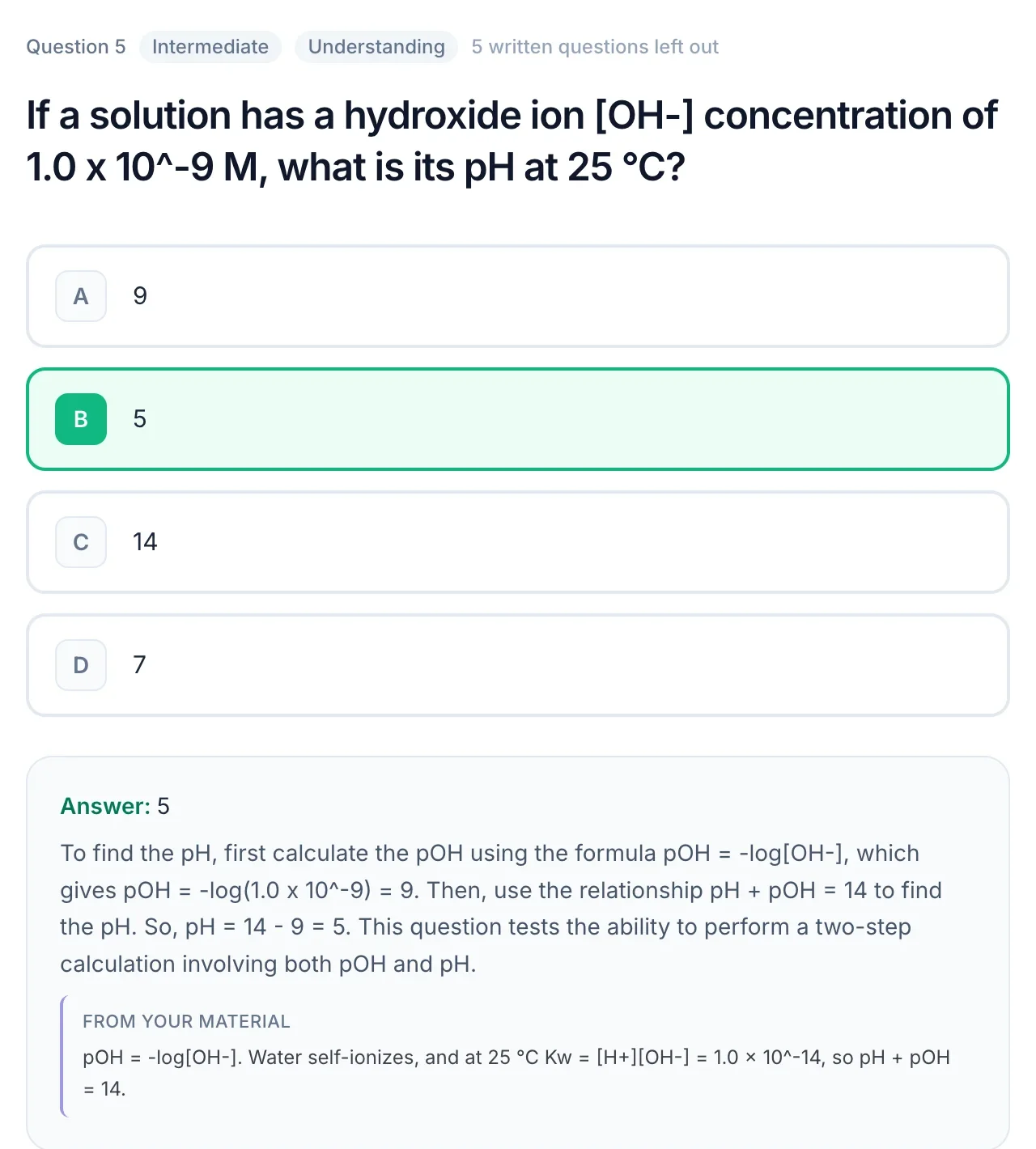
    A practice question about pH with the correct answer, a worked explanation and a quote from the source material

    Popular study sets

    Made with QuerySpark from real course material. Open one and start studying, no account needed.

    Frequently asked questions

    Upload the PDF to QuerySpark, pick the question types you want (multiple choice, true/false, short answer or essay) and generate. In about a minute you get a set of typically 10 to 20 questions, each with one correct answer and an explanation, which you can study, edit or export.

    Yes. ChatGPT can read an uploaded PDF and write questions when you ask, which works well for a short one-off quiz. You write and refine the prompt, check coverage yourself and reformat the output to import it anywhere. QuerySpark builds the quiz as a study set with explanations, exports and spaced review, so there is no prompt to manage.

    Uploading a PDF needs a free account. Without an account, you can copy text out of your PDF and paste it into the generator on our AI question generator page: up to 6,000 characters, 3 times a day, and it returns multiple-choice questions with explanations.

    QuerySpark is free to start but not unlimited. New accounts get a 3-day Pro trial with no card. After that the free plan covers 10 PDF pages and 20 questions a month. Student ($9/month) raises that to 500 pages and 1,000 questions, and Educator has no monthly caps.

    Yes, through CSV. Generate the quiz, export it as CSV with answers, then copy the question and answer columns from a spreadsheet into Quizlet's import box with Tab as the separator. Answer options and explanations do not carry over, because Quizlet imports term and definition pairs.

    Yes. Scanned pages are read with OCR, including neat handwriting. Clear, straight, high-contrast scans give the best results; faint or skewed pages can lose words, which shows up as vague questions.

    A run usually gives 10 to 20 questions. For a long PDF, generate again on another chapter rather than expecting one run to cover the whole book. A single upload can be up to 120 pages.

    The best one is the one that reads your kind of PDF, shows where each answer came from, exports in the format you need and brings missed questions back for review. ChatGPT is fine for a one-off quiz; a dedicated generator like QuerySpark is better for studying the same material over weeks.

    Yes. Export the questions as QTI for Canvas, Blackboard or D2L, as Moodle XML, or as Word and PDF for paper tests. You can also assign the set to a class with a join code and see each student's progress and scores.

    Yes. Uploads are private by default, are never used to train AI models, and you can delete them at any time.

    Still stuck? Email us.

    You've read the chapter. Now test yourself.

    Start a 3-day Pro trial with no card required, upload a PDF, and keep the study kit you create.