Overview
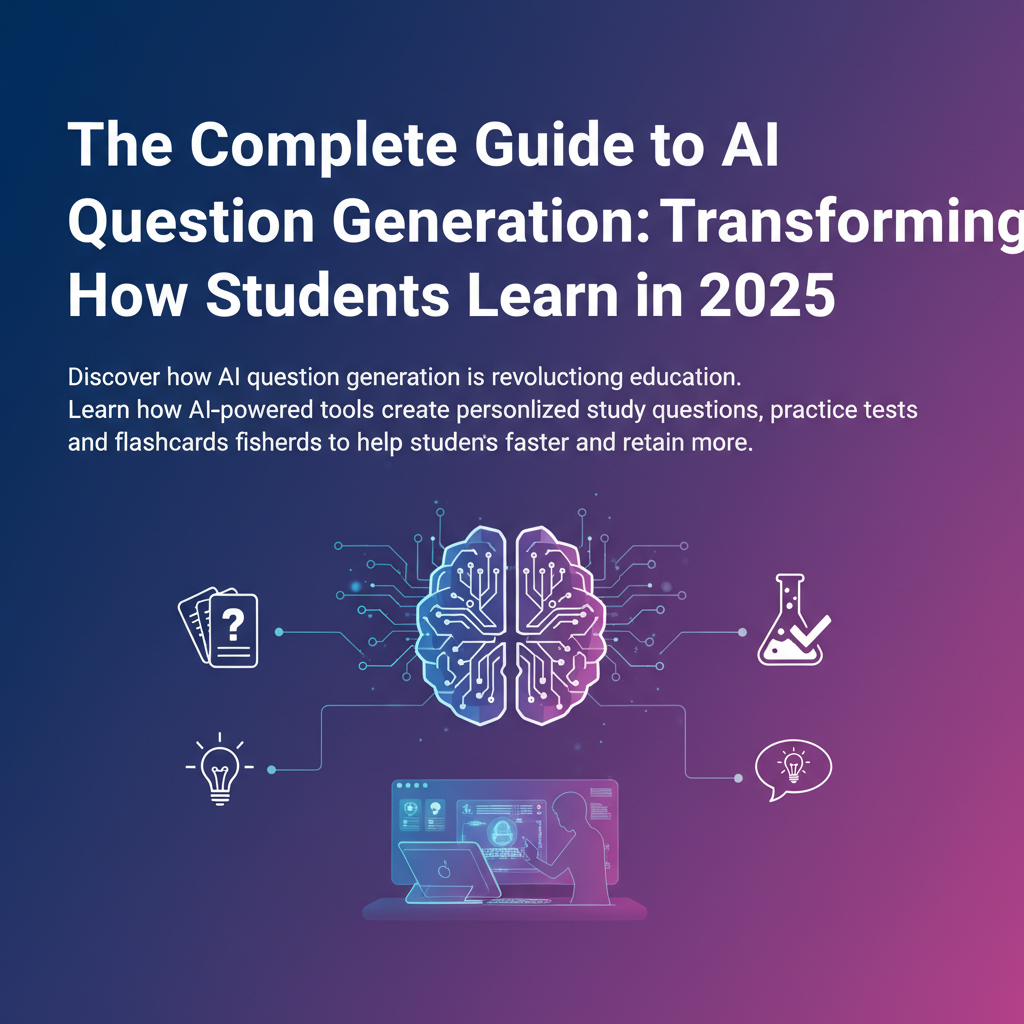
Discover how AI question generation is revolutionizing education. Learn how AI-powered tools create personalized study questions, practice tests, and flashcards to help students learn faster and retain more.
The Complete Guide to AI Question Generation: Transforming How Students Learn in 2025
Introduction
Studying smarter, not harder. It's the mantra every student wishes they could follow. But creating effective study materials takes time, and most students struggle to know if they're even testing themselves on the right concepts. That's where AI question generation changes everything.
Imagine uploading your lecture notes, textbook chapters, or study materials and instantly receiving hundreds of high-quality practice questions tailored to your content. No more spending hours manually creating flashcards or wondering if you've covered all the important topics. AI question generators are transforming how students prepare for exams, how teachers create assessments, and how professionals master new skills.
In this comprehensive guide, we'll explore everything you need to know about AI question generation, from the technology behind it to practical strategies for maximizing your learning outcomes. Whether you're a college student preparing for finals, a teacher looking to save time on quiz creation, or a professional studying for certification exams, this guide will show you how AI-powered question generation can change how you prepare.
What is AI Question Generation?
AI question generation is the process of using artificial intelligence to automatically create questions from any text-based content. These sophisticated tools analyze educational materials, whether lecture notes, textbooks, articles, or documents, and generate relevant, targeted questions that test comprehension and knowledge retention.
The Core Components
At its foundation, AI question generation combines several key technologies:
Natural Language Processing (NLP): This allows the AI to understand the context, meaning, and key concepts within your study materials. NLP helps the system identify important information, relationships between concepts, and the hierarchical structure of knowledge.
Machine Learning Models: Advanced algorithms trained on millions of educational questions and answers enable the AI to recognize patterns in how effective questions are structured. These models learn what makes a good question versus a poor one.
Semantic Understanding: The AI doesn't just look for keywords, it understands the meaning behind the text. This semantic analysis ensures questions test actual comprehension rather than simple memorization.
How It Differs from Traditional Question Banks
Traditional question banks are manually created by educators and subject matter experts. While valuable, they have limitations:
- Static content that doesn't adapt to your specific materials
- Generic questions that may not align with what you're studying
- Time-intensive to create or find relevant questions
- Limited coverage of all topics in your curriculum
AI question generation, by contrast, creates customized questions from your exact study materials in seconds, ensuring complete coverage of your content with questions that directly test what you need to learn.
How AI Question Generators Work
Understanding the technology behind AI question generation helps you use these tools more effectively. Here's a step-by-step breakdown of what happens when you upload content to an AI question generator:
Step 1: Content Analysis
When you upload your study material, the AI first performs a comprehensive analysis:
- Text extraction: The system reads and processes your content, whether it's a PDF, Word document, or plain text
- Structure identification: It recognizes headings, subheadings, and the organization of information
- Key concept detection: Advanced NLP identifies the main topics, definitions, important facts, and relationships between ideas
Step 2: Question Template Mapping
The AI uses sophisticated algorithms to determine the best question types for each piece of information:
- Factual information → Multiple choice, true/false, or fill-in-the-blank questions
- Processes and sequences → Ordering questions or step-by-step explanations
- Relationships and comparisons → Matching questions or compare/contrast prompts
- Application of knowledge → Scenario-based or problem-solving questions
Step 3: Question Generation
Using its trained models, the AI crafts questions that:
- Test different levels of understanding (recall, comprehension, application, analysis)
- Include plausible distractors for multiple-choice questions
- Vary in difficulty to match your learning needs
- Cover all major concepts in your material
Step 4: Quality Assurance
Advanced AI question generators include quality checks to ensure:
- Grammatical correctness: Questions are properly structured and clear
- Answer accuracy: The correct answer is verifiable from the source material
- Appropriate difficulty: Questions match the intended educational level
- No ambiguity: Each question has one clear, correct answer
The Technology Behind It
Modern AI question generators leverage:
Transformer Models: These neural networks (like GPT and BERT) excel at understanding context and generating human-like text. They've been trained on billions of words and can recognize patterns in how educational content is structured.
Question-Answer Pair Datasets: The AI has learned from millions of existing questions and answers across various subjects, understanding what makes effective educational assessments.
Bloom's Taxonomy Integration: Sophisticated systems can generate questions at different cognitive levels, from basic recall to complex evaluation, helping you develop deeper understanding.
Benefits of AI-Generated Questions
AI question generation offers transformative advantages for learners, educators, and professionals. Let's explore the key benefits that make this genuinely useful for studying.
1. Massive Time Savings
For Students: Creating effective study questions manually can take hours. You need to review your notes, identify key concepts, formulate questions, and create answer choices. AI question generators complete this process in seconds, giving you more time to actually study rather than prepare study materials.
For Teachers: Instead of spending evenings and weekends creating quizzes and exams, teachers can generate comprehensive assessments in minutes. This frees up time for lesson planning, student interaction, and professional development.
Real-World Impact: A typical student might spend 2-3 hours creating flashcards for a single chapter. An AI question generator can produce 50+ questions from that same chapter in under 60 seconds.
2. Personalized Learning Experience
AI question generators create questions from YOUR specific materials, not generic textbook questions. This means:
- Questions directly aligned with your professor's lectures
- Coverage of exactly what will be on your exam
- Focus on the concepts you're actually studying
- Ability to generate questions at your current knowledge level
As you progress, you can request more challenging questions or focus on specific areas where you need improvement.
3. Comprehensive Coverage
One common study mistake is focusing only on topics you find interesting or easy, leaving gaps in your knowledge. AI question generators ensure:
- Complete topic coverage: Questions from every section of your material
- No blind spots: The AI identifies all key concepts, even ones you might overlook
- Balanced distribution: Questions proportional to the importance and length of each topic
4. Immediate Feedback and Learning
Many AI question generators include instant grading and explanations:
- See correct answers immediately
- Understand why an answer is right or wrong
- Identify knowledge gaps in real-time
- Track your progress across study sessions
This immediate feedback loop accelerates learning by helping you correct misconceptions quickly rather than reinforcing wrong information through repeated mistakes.
5. Active Recall and Spaced Repetition
AI-generated questions naturally support the most effective study techniques:
Active Recall: Instead of passively rereading notes, you actively retrieve information from memory by answering questions. Research shows this improves long-term retention by up to 50% compared to passive review.
Spaced Repetition: Advanced systems can schedule question reviews at optimal intervals, showing you questions just as you're about to forget the material, the perfect time to reinforce memory.
6. Multiple Question Formats
Variety in question types helps develop comprehensive understanding:
- Multiple choice for quick assessment
- True/false for concept verification
- Fill-in-the-blank for terminology practice
- Short answer for deeper comprehension
- Essay prompts for critical thinking
Different formats test different aspects of knowledge, ensuring well-rounded mastery.
7. Accessibility and Convenience
AI question generators are typically available 24/7 through web platforms or mobile apps. This means:
- Study anywhere, anytime
- Generate fresh questions whenever needed
- No dependence on teachers or study groups for practice materials
- Ability to create unlimited practice tests
8. Cost-Effective Learning
Compared to expensive test prep courses, tutoring, or commercial study materials:
- Many AI question generators offer free tiers
- One-time or low monthly costs replace expensive prep books
- No need to purchase multiple study guides
- Reusable across all your courses and subjects
9. Confidence Building
Regular practice with AI-generated questions builds exam confidence:
- Familiarity with question formats reduces test anxiety
- Measurable progress tracking shows improvement
- Identifying and filling knowledge gaps before the actual exam
- Practice under test-like conditions
10. Scalability for Different Learning Needs
Whether you're studying for a single quiz or a comprehensive final exam:
- Generate 10 questions or 1,000, the AI scales effortlessly
- Create questions for one chapter or an entire textbook
- Adjust difficulty from beginner to advanced levels
- Support multiple subjects simultaneously
Types of Questions AI Can Create
Modern AI question generators can produce a wide variety of question formats, each serving different learning objectives. Understanding these types helps you choose the right format for your study needs.
Multiple Choice Questions (MCQ)
What they are: Questions with one correct answer and several plausible incorrect options (distractors).
Example:
Question: What is the primary function of mitochondria in eukaryotic cells?

A) Protein synthesis
B) DNA replication
C) Energy production through cellular respiration
D) Lipid storage

Correct Answer: C
Best for:
- Quick knowledge checks
- Standardized test preparation (SAT, GRE, professional certifications)
- Large-scale assessments
- Identifying specific misconceptions
AI Advantage: The AI creates realistic distractors based on common misconceptions and related concepts, making questions more challenging and educational.
True/False Questions
What they are: Statements that students must identify as true or false.
Example:
Question: The process of photosynthesis only occurs in plant cells during daylight hours.

Answer: True
Best for:
- Rapid concept verification
- Identifying misconceptions
- Quick pre-assessment before studying
- Testing absolute facts and definitions
AI Advantage: The AI can generate nuanced statements that test subtle understanding rather than obvious facts.
Fill-in-the-Blank Questions
What they are: Sentences or paragraphs with missing words that students must supply.
Example:
Question: The __________ is responsible for regulating body temperature, hunger, and thirst in the human brain.

Answer: hypothalamus
Best for:
- Vocabulary and terminology practice
- Memorizing specific facts, formulas, or definitions
- Testing recall without answer choices as hints
- Medical, legal, or technical subjects with specific terminology
AI Advantage: The AI identifies the most important terms and creates contextually appropriate sentences.
Short Answer Questions
What they are: Questions requiring brief written responses (1-3 sentences).
Example:
Question: Explain the difference between mitosis and meiosis.

Sample Answer: Mitosis produces two identical daughter cells with the same number of chromosomes as the parent cell and is used for growth and repair. Meiosis produces four genetically different cells with half the number of chromosomes and is used for sexual reproduction.
Best for:
- Testing comprehension beyond simple recall
- Explaining processes or concepts
- Describing relationships between ideas
- Preparing for essay exams
AI Advantage: The AI can provide model answers and evaluate student responses for completeness.
Essay Questions and Prompts
What they are: Open-ended questions requiring extended written responses.
Example:
Question: Discuss how the Industrial Revolution transformed social structures in 19th-century Europe. Include specific examples of changes in urban development, family dynamics, and class relationships.
Best for:
- Critical thinking development
- Comprehensive topic analysis
- Practice for AP exams, college essays, or professional certifications
- Demonstrating deep understanding
AI Advantage: The AI generates thought-provoking prompts that connect multiple concepts and encourage higher-order thinking.
Matching Questions
What they are: Two columns of items that students must correctly pair.
Example:
Match each organelle with its primary function:

1. Nucleus               A. Protein synthesis
2. Ribosome              B. Photosynthesis
3. Chloroplast           C. Genetic information storage
4. Golgi apparatus       D. Protein modification and packaging

Answers: 1-C, 2-A, 3-B, 4-D
Best for:
- Connecting related concepts
- Vocabulary-definition pairings
- Historical events and dates
- Scientists and their discoveries
AI Advantage: The AI identifies natural relationships in content and creates balanced sets of items to match.
Ordering/Sequencing Questions
What they are: Questions requiring students to arrange items in the correct order.
Example:
Question: Arrange the following steps of the scientific method in the correct order:

A. Form a hypothesis
B. Analyze data
C. Make observations
D. Conduct experiments
E. Draw conclusions

Correct Order: C, A, D, B, E
Best for:
- Processes and procedures
- Historical timelines
- Step-by-step instructions
- Biological or chemical processes
AI Advantage: The AI recognizes sequential relationships in content and creates appropriate ordering exercises.
Scenario-Based Questions
What they are: Questions presenting real-world situations requiring application of knowledge.
Example:
Question: A patient presents with extreme thirst, frequent urination, and unexplained weight loss. Their blood glucose level is 250 mg/dL. Based on these symptoms, what condition should the physician suspect, and what initial diagnostic test should be ordered?

Answer: The physician should suspect diabetes mellitus and order a hemoglobin A1C test to assess long-term blood glucose control.
Best for:
- Medical, nursing, or healthcare education
- Business case studies
- Legal scenarios
- Engineering problem-solving
- Professional certification exams
AI Advantage: The AI can create realistic scenarios by combining multiple concepts from your study materials.
Diagram/Image-Based Questions
What they are: Questions using visual elements that students must label or interpret.
Best for:
- Anatomy and physiology
- Chemistry structures
- Geographic maps
- Engineering diagrams
- Art history
AI Advantage: Some advanced generators can create questions about diagrams you upload, asking students to identify structures or explain processes shown visually.
Bloom's Taxonomy Levels
Sophisticated AI question generators can create questions at different cognitive levels:
Remember (Lowest Level):
- "What is the definition of photosynthesis?"
- Tests basic recall
Understand:
- "Explain how photosynthesis differs from cellular respiration."
- Tests comprehension
Apply:
- "If a plant is kept in complete darkness, what will happen to its rate of photosynthesis?"
- Tests application of knowledge
Analyze:
- "Compare and contrast C3, C4, and CAM photosynthesis pathways."
- Tests ability to break down information
Evaluate:
- "Assess the effectiveness of different strategies to increase agricultural crop yields through photosynthesis optimization."
- Tests judgment and critique
Create (Highest Level):
- "Design an experiment to test the effect of different light wavelengths on photosynthesis rate."
- Tests ability to generate new ideas
By generating questions across all Bloom's levels, AI tools help you develop comprehensive mastery of your subject matter.
Who Can Benefit from AI Question Generators
AI question generation technology serves a diverse range of users across education and professional development. Here's how different groups can leverage these powerful tools.
College and University Students
Primary Use Cases:
- Preparing for midterms and final exams
- Creating personalized study guides from lecture notes
- Testing comprehension after reading textbook chapters
- Practicing for standardized tests (MCAT, LSAT, GRE, GMAT)
- Group study session preparation
Specific Benefits: Students juggling multiple courses benefit enormously from AI question generators. Instead of spending hours creating study materials for each class, they can quickly generate comprehensive practice tests from professors' lecture slides, textbook chapters, and course readings. The technology is particularly valuable for STEM courses where problem-solving practice is essential, as well as for liberal arts subjects requiring essay preparation.
Success Story Example: Pre-med students using AI-generated questions report studying 40% more efficiently, with one student noting: "I went from spending entire weekends making flashcards to generating hundreds of practice questions in minutes. My exam scores improved because I spent more time actually learning instead of preparing to learn."
High School Students
Primary Use Cases:
- AP exam preparation
- SAT/ACT practice
- Regular coursework study
- Homework comprehension checks
- Summer learning and test prep
Specific Benefits: High school students preparing for college face intense pressure. AI question generators help them master material faster while reducing study stress. The tools are especially helpful for AP courses, where students must cover college-level material. Students can upload AP study guides and generate questions that mirror actual AP exam formats.
Parents also appreciate these tools as cost-effective alternatives to expensive test prep courses.
Graduate Students and Researchers
Primary Use Cases:
- Dissertation and thesis preparation
- Literature review comprehension
- Qualifying exam preparation
- Teaching assistant quiz creation
- Research paper analysis
Specific Benefits: Graduate students deal with complex, specialized content. AI question generators help them process dense academic papers, identify key arguments, and prepare for comprehensive exams. PhD candidates particularly benefit when preparing for qualifying exams that require mastery of hundreds of research papers and entire fields of study.
Teachers and Professors
Primary Use Cases:
- Quick quiz and test creation
- Formative assessment development
- Homework assignment generation
- Differentiated learning materials
- Exam question bank development
Specific Benefits: Educators face constant pressure to create engaging assessments while managing heavy workloads. AI question generators dramatically reduce assessment creation time. A teacher can upload their lesson materials and instantly generate:
- Entrance tickets (quick checks at lesson start)
- Exit tickets (end-of-class assessments)
- Homework assignments
- Chapter quizzes
- Unit exams
Time Savings Example: One high school history teacher reported: "What used to take me 3 hours every Friday, creating next week's quizzes, now takes 20 minutes. I spend the time I save working directly with struggling students."
Corporate Trainers and L&D Professionals
Primary Use Cases:
- Employee onboarding assessments
- Compliance training verification
- Skills development testing
- Product knowledge quizzes
- Leadership development evaluations
Specific Benefits: Learning and Development departments need to create assessments for various training programs. AI question generators help them:
- Quickly develop competency checks for new software or procedures
- Create certification exams for internal programs
- Generate knowledge checks for compliance training (safety, harassment prevention, etc.)
- Assess product knowledge for sales teams
The scalability is particularly valuable, L&D teams can generate customized assessments for different departments, locations, or role levels.
Professional Certification Candidates
Primary Use Cases:
- CPA, CFA, PMP exam preparation
- Medical licensing exams (USMLE, NCLEX)
- Legal bar exam preparation
- IT certifications (AWS, CompTIA, Cisco)
- Professional engineering exams (PE, FE)
Specific Benefits: Professional certification exams often require months of preparation and expensive prep courses. AI question generators provide:
- Unlimited practice questions from official study materials
- Custom quizzes focusing on weak areas
- Exam-format practice at a fraction of traditional prep course costs
- Ability to study specific topics intensively
Cost Comparison: A typical CPA exam prep course costs $2,000-$3,000. An AI question generator subscription costs $10-$30/month, representing massive savings while providing personalized practice.
Homeschool Parents and Students
Primary Use Cases:
- Curriculum comprehension assessment
- Alternative to packaged tests
- Multi-grade-level question creation
- Customized difficulty adjustment
- Portfolio assessment preparation
Specific Benefits: Homeschool families appreciate the flexibility of AI question generators:
- Create age-appropriate questions from any educational material
- Adjust difficulty as students progress
- Generate questions across all subjects with one tool
- Reduce need for expensive curriculum packages
Parents without teaching backgrounds find these tools especially helpful for creating professional-quality assessments.
Online Course Creators and EdTech Companies
Primary Use Cases:
- Course assessment development
- Interactive learning experiences
- Knowledge check integrations
- Certification programs
- Learner engagement tools
Specific Benefits: Course creators can enhance their offerings by:
- Automatically generating assessments for each module
- Creating practice question banks for students
- Developing certification exams
- Offering interactive learning experiences
This helps smaller course creators compete with large educational publishers.
Language Learners
Primary Use Cases:
- Vocabulary practice
- Grammar comprehension checks
- Reading comprehension questions
- Translation practice
- Cultural knowledge assessment
Specific Benefits: While specialized language learning apps exist, AI question generators can create custom questions from:
- Native language articles and books
- Grammar textbooks
- Vocabulary lists
- Cultural studies materials
This provides more diverse practice than pre-packaged language learning tools.
Self-Directed Learners and Lifelong Learners
Primary Use Cases:
- Personal interest topic mastery
- Skill development verification
- Book club discussion preparation
- Career transition learning
- Hobby and passion project learning
Specific Benefits: Adults learning independently (coding, history, philosophy, etc.) can:
- Generate questions from books, articles, and online courses
- Self-assess understanding without formal instruction
- Create structured learning paths
- Track progress in self-study projects
Best Practices for Using AI Question Generators
To maximize the benefits of AI question generation, follow these proven strategies and best practices.
1. Start with High-Quality Source Material
Why It Matters: AI question generators can only create questions as good as the material you provide. Garbage in, garbage out.
Best Practices:
- Use well-organized lecture notes with clear headings and structure
- Prefer authoritative sources (textbooks, peer-reviewed articles, official course materials)
- Ensure your source material is accurate and current
- Clean up messy notes before uploading (fix typos, clarify abbreviations)
- Include all relevant context, don't upload fragments
Example: Instead of uploading raw, unedited lecture transcripts, organize them into topic sections with clear headers. This helps the AI generate better-structured questions.
2. Customize Question Difficulty
Why It Matters: Not all studying requires the same difficulty level. Early in your learning, you need basic recall questions. As you master material, you need more challenging application and analysis questions.
Best Practices:
- Start with easier question types (true/false, basic multiple choice) when first learning
- Progress to harder formats (short answer, essay) as you improve
- Use difficulty settings if your AI tool offers them
- Request questions at different Bloom's Taxonomy levels
- Mix question difficulties in practice tests to simulate real exams
Progressive Study Plan:
- Week 1: True/false and fill-in-the-blank for basic terminology
- Week 2: Multiple choice for concept comprehension
- Week 3: Short answer and application questions
- Week 4: Essay questions and complex scenarios
3. Generate Questions in Strategic Batches
Why It Matters: Generating thousands of questions at once can be overwhelming and inefficient.
Best Practices:
- Create 20-30 questions per study session
- Generate questions chapter by chapter or topic by topic
- Build question banks gradually as you progress through material
- Save generated questions for review before exams
- Create both practice questions and "exam simulation" question sets
Recommended Approach: After reading a textbook chapter:
- Generate 25 questions immediately to test comprehension
- Study and answer them
- Generate 15 more questions on areas where you struggled
- Save all questions for final exam review
4. Review and Edit Generated Questions
Why It Matters: While AI question generators are highly sophisticated, they're not perfect. Occasional errors or awkwardly phrased questions may appear.
Best Practices:
- Quickly review questions before studying
- Flag any questions that seem incorrect or unclear
- Edit questions to match your professor's terminology or focus
- Verify answers against your source material
- Report consistent issues to improve the AI tool
Quality Check: Spend 2-3 minutes reviewing questions before each study session. This minimal time investment ensures high-quality practice.
5. Combine with Active Learning Techniques
Why It Matters: AI-generated questions are most effective when integrated with proven study methods.
Best Practices:
Active Recall:
- Answer questions without looking at notes
- Write down answers before checking correctness
- Use questions to quiz yourself repeatedly
Spaced Repetition:
- Review questions at increasing intervals (1 day, 3 days, 7 days, 14 days)
- Focus more time on questions you miss
- Use the AI to generate new variations of difficult questions
Interleaving:
- Mix questions from different topics in one study session
- Don't study all questions from Chapter 1, then Chapter 2, mix them
- Alternate between different question types
Practice Testing:
- Simulate real exam conditions
- Time yourself
- Take full practice tests before major exams
6. Use Immediate Feedback Effectively
Why It Matters: The power of practice questions lies in immediate correction of misunderstandings.
Best Practices:
- Check answers immediately after each question or small set
- Read explanations for both correct and incorrect answers
- Understand WHY an answer is right, not just that it is
- Review missed questions again the next day
- Keep a "mistake log" of concepts you frequently miss
Mistake Log Example:
Concept: Mitosis phases
Missed: 3 times
Issue: Confused order of metaphase and anaphase
Solution: Created mnemonic "PMAT" - Prophase, Metaphase, Anaphase, Telophase
Retry: [Date] - Success!
7. Organize Your Question Banks
Why It Matters: As you generate hundreds or thousands of questions, organization becomes crucial.
Best Practices:
- Label question sets clearly (Chapter 3: Cellular Respiration)
- Tag questions by difficulty or Bloom's level
- Create separate folders for different courses or subjects
- Mark questions you've mastered vs. those needing review
- Export and save questions in accessible formats
Organization System:
Biology 101/
  ├── Chapter 1 - Introduction/
  │   ├── Easy Questions
  │   ├── Medium Questions
  │   └── Hard Questions
  ├── Chapter 2 - Cell Structure/
  ├── Midterm Review/
  └── Final Exam Prep/
8. Vary Your Question Types
Why It Matters: Different question formats test different aspects of understanding and prepare you for diverse exam formats.
Best Practices:
- Use multiple choice for quick knowledge checks
- Practice short answer for explanation skills
- Try essay questions for comprehensive understanding
- Use fill-in-the-blank for terminology mastery
- Include scenario-based questions for real-world application
Balanced Study Session Example:
- 10 multiple choice (quick recall)
- 5 short answer (comprehension)
- 3 essay prompts (deep understanding)
- 7 fill-in-the-blank (terminology)
9. Set Realistic Study Goals
Why It Matters: AI tools make it easy to generate unlimited questions, but studying effectively requires strategy, not just volume.
Best Practices:
- Quality over quantity, deeply learning from 30 questions beats superficially reviewing 200
- Set daily question targets based on your schedule (e.g., 50 questions per day)
- Focus on mastery, not completion
- Allow time for reflection and understanding
- Balance question practice with other study methods (reading, discussion, etc.)
Effective Daily Study Plan:
- 20 minutes: Generate and review questions
- 40 minutes: Answer questions and check work
- 20 minutes: Review mistakes and understand concepts
- 10 minutes: Organize and plan next session
10. Track Your Progress
Why It Matters: Monitoring improvement keeps you motivated and helps identify persistent weak areas.
Best Practices:
- Keep score on practice tests
- Note improvement over time
- Identify topics with consistently low scores
- Celebrate progress and mastery
- Adjust study focus based on data
Progress Tracking Sheet:
Date: Nov 29, 2025
Topic: Photosynthesis
Questions: 30
Score: 24/30 (80%)
Weak Areas: Light-dependent reactions (3 wrong), Calvin cycle (2 wrong)
Next Steps: Generate 15 more questions on light reactions, review textbook pages 124-128
11. Integrate with Your Course Schedule
Why It Matters: AI question generation works best when aligned with your actual coursework.
Best Practices:
- Generate questions immediately after lectures
- Create practice quizzes before scheduled exams
- Use questions for homework comprehension checks
- Build cumulative review sets as the semester progresses
- Match question difficulty to exam format
Semester Integration Timeline:
- After each lecture: 15 questions for comprehension
- Before weekly quiz: 30-question practice test
- Midterm prep (2 weeks before): 100-question cumulative review
- Final exam prep: 200+ questions covering entire course
12. Collaborate and Share
Why It Matters: Group study with AI-generated questions can be more effective than studying alone.
Best Practices:
- Share question sets with study group members
- Quiz each other using generated questions
- Compare answers and discuss different perspectives
- Create group question banks
- Use questions to facilitate discussion
Group Study Session Format:
- Each member generates 20 questions from assigned reading
- Group compiles into shared question bank (80-100 questions total)
- Take practice quiz individually (30 minutes)
- Discuss answers and difficult concepts together (45 minutes)
- Focus study on group weak areas
Common Challenges and Solutions
While AI question generators are powerful tools, users may encounter some challenges. Here's how to address the most common issues.
Challenge 1: Questions Seem Too Easy or Too Hard
Problem: The generated questions don't match your knowledge level or exam difficulty.
Solutions:
- Explicitly set difficulty levels in the tool's settings
- Specify Bloom's Taxonomy level (remember, understand, apply, analyze, evaluate, create)
- Upload more advanced or introductory material matching your level
- Provide example questions at your desired difficulty level
- Start with easier questions and progressively request harder ones
Pro Tip: Look at past exams from your course to calibrate appropriate difficulty, then request questions similar to that level.
Challenge 2: Generated Questions Have Errors or Inaccuracies
Problem: Occasionally, the AI creates questions with wrong answers or unclear wording.
Solutions:
- Always verify answers against source material
- Report errors to the platform for continuous improvement
- Edit questions to fix minor issues
- Cross-reference with textbook or lecture notes
- Use high-quality, accurate source materials
Quality Assurance Process:
- Generate questions
- Spot-check 5-10 random questions for accuracy
- If errors are frequent (>10%), improve source material quality
- If errors are rare (<5%), simply edit or delete problematic questions
Challenge 3: Questions Don't Match Exam Format
Problem: Your professor uses specific question styles that differ from generated questions.
Solutions:
- Upload actual past exams as examples
- Specify exact question format requirements
- Request questions in specific styles (e.g., "clinical vignette style for medical school")
- Manually adapt generated questions to match exam format
- Use the AI for content coverage, then reformat questions yourself
Example: If your professor uses case-based questions, tell the AI: "Generate questions in medical case format with patient presentation, question, and 5 answer choices."
Challenge 4: Overwhelming Number of Questions
Problem: You generated 500 questions and don't know where to start.
Solutions:
- Generate smaller, manageable batches (20-30 questions)
- Organize questions by topic and priority
- Create a study schedule allocating questions over time
- Use spaced repetition to review questions systematically
- Focus on quality engagement rather than quantity completion
Manageable Study Plan: Instead of tackling 500 questions in one day:
- Day 1-5: 50 questions per day (250 total)
- Day 6-10: 50 questions per day (250 total)
- Day 11-12: Review missed questions only
Challenge 5: Lack of Detailed Explanations
Problem: The AI provides correct answers but doesn't explain WHY they're correct.
Solutions:
- Request explanations in your generation settings
- Use the AI to generate explanations for specific questions
- Cross-reference questions with textbook for detailed explanations
- Join study groups to discuss reasoning behind answers
- Create your own explanation notes for difficult questions
Explanation Request: When generating questions, specify: "Include detailed explanations for each answer choice explaining why it's correct or incorrect."
Challenge 6: Questions Too Focused on Memorization
Problem: All questions test recall rather than application or critical thinking.
Solutions:
- Explicitly request higher-order thinking questions
- Specify Bloom's Taxonomy levels: "Create 'Apply' and 'Analyze' level questions"
- Upload more complex source material (case studies, analyses)
- Request scenario-based or problem-solving questions
- Mix in essay and short-answer questions
Better Prompt: Instead of: "Generate questions from this chapter" Try: "Generate application and analysis questions that require critical thinking based on this chapter"
Challenge 7: Limited Question Type Variety
Problem: The tool only generates multiple-choice questions, but you need diverse formats.
Solutions:
- Explore all question type options in your tool
- Use different AI tools for different question formats
- Manually convert questions to other formats
- Request specific formats: "Create 10 fill-in-the-blank and 5 short answer questions"
- Use specialized tools for specific needs (e.g., flashcard-specific apps)
Challenge 8: Difficulty Integrating with Study Workflow
Problem: The tool feels separate from your normal study routine.
Solutions:
- Use mobile apps for on-the-go question generation
- Integrate with existing tools (Notion, Google Docs, Anki)
- Set up regular generation times (e.g., every Friday for next week's quiz)
- Export questions to your preferred study format
- Create templates for quick, repeated use
Workflow Integration:
Standard Study Process:
1. Attend lecture → Take notes in Google Docs
2. Clean up notes → Copy to AI question generator
3. Generate questions → Export to Anki for spaced repetition
4. Study with Anki → Track progress in spreadsheet
Challenge 9: Privacy Concerns with Uploading Course Materials
Problem: You're worried about copyright or sharing proprietary course content.
Solutions:
- Check the tool's privacy policy and data handling practices
- Use tools that don't store your content
- Upload only your personal notes rather than copyrighted textbooks
- Paraphrase material before uploading
- Use tools with strong data encryption
- Read terms of service regarding intellectual property
Privacy Best Practices:
- Prefer tools that process data without permanent storage
- Don't upload entire textbooks (use your notes instead)
- Use tools with clear data deletion policies
- Avoid uploading sensitive or proprietary information
Challenge 10: Cost Concerns
Problem: Premium features require subscriptions you can't afford.
Solutions:
- Start with free tiers and evaluate before upgrading
- Look for student discounts (many tools offer 50% off)
- Share subscription costs with study group members
- Use free alternatives with limited features
- Take advantage of free trials during exam periods
Cost-Benefit Analysis: Compare the cost of an AI question generator ($10-30/month) to:
- Textbook-specific test banks ($50-100 per course)
- Test prep courses ($500-3,000)
- Private tutoring ($40-100/hour)
- Time saved (worth quantifying in dollars)
Most students find AI question generators offer exceptional value.
The Future of AI in Education
AI question generation is just the beginning of how artificial intelligence will transform learning. Here's what's coming next.
Adaptive Learning Systems
What's Coming: AI systems that learn YOUR specific knowledge gaps and automatically adjust difficulty, content focus, and question types to optimize learning efficiency.
How It Works:
- Track which questions you miss repeatedly
- Generate more questions on weak topics
- Adjust difficulty in real-time based on performance
- Create personalized learning paths
Impact: Instead of generic study plans, every student gets a customized curriculum optimized for their brain and learning style.
Multimodal Question Generation
What's Coming: AI that generates questions from videos, podcasts, images, diagrams, and even 3D models, not just text.
How It Works:
- Upload lecture video → AI generates questions from visual and audio content
- Analyze diagrams → AI creates labeling and interpretation questions
- Process podcasts → AI extracts key concepts and creates comprehension questions
Impact: Students can generate study questions from any learning material format, making studying more flexible and comprehensive.
Real-Time Feedback and Tutoring
What's Coming: AI systems that don't just grade answers but provide Socratic-style tutoring to help you discover the correct answer.
How It Works: When you answer incorrectly, the AI:
- Asks guiding questions to help you reason through the problem
- Provides hints without giving away the answer
- Explains underlying concepts
- Suggests related resources for deeper learning
Impact: AI becomes more like a personal tutor than a question bank, actively teaching rather than just testing.
Collaborative Intelligence
What's Coming: AI tools that facilitate group learning by identifying complementary knowledge among students and creating collaborative challenges.
How It Works:
- Analyze what each study group member knows well
- Create team-based questions leveraging different strengths
- Suggest optimal study partnerships based on knowledge profiles
- Generate discussion prompts for deeper exploration
Impact: Study groups become more effective as AI helps coordinate and optimize collaborative learning.
Gamification and Engagement
What's Coming: AI-powered educational games that make question practice feel like playing rather than studying.
Features:
- Competition leaderboards with friends
- Achievement badges and progress rewards
- Story-based learning adventures
- Points and levels for mastery
- Challenge modes and time trials
Impact: Increased motivation and engagement, especially for subjects students find boring or difficult.
Integration with Virtual and Augmented Reality
What's Coming: Immersive learning experiences where AI generates scenario-based questions within virtual environments.
Examples:
- Medical students practicing diagnoses in VR patient simulations
- History students exploring ancient civilizations while answering contextual questions
- Engineering students solving problems in 3D virtual labs
- Language learners conversing with AI characters in simulated foreign countries
Impact: Learning becomes experiential and memorable, improving retention dramatically.
Emotion and Engagement Detection
What's Coming: AI that monitors your engagement level and adjusts accordingly.
How It Works:
- Webcam-based attention monitoring (with permission)
- Typing speed and pause analysis
- Performance pattern recognition
- Break and rest recommendations
Impact: Prevents burnout and maintains optimal cognitive load for efficient learning.
Lifelong Learning Companions
What's Coming: AI systems that follow you throughout your entire educational and professional journey.
Features:
- Track knowledge accumulation from K-12 through professional certifications
- Recommend courses and learning paths based on career goals
- Identify skill gaps for job transitions
- Provide continuous upskilling throughout your career
Impact: Education becomes truly personalized and continuous rather than episodic and standardized.
Ethical AI and Fairness
What's Important: As AI becomes more prevalent in education, ensuring fairness, accessibility, and ethical use is critical.
Considerations:
- Preventing bias in question generation
- Ensuring accessibility for students with disabilities
- Maintaining privacy and data security
- Using AI to supplement, not replace, human teaching
- Addressing the digital divide so all students benefit
The Vision: AI question generation and broader educational AI should democratize access to high-quality learning, reducing educational inequity rather than exacerbating it.
Getting Started with AI Question Generation
Ready to transform your studying? Here's how to begin using AI question generators effectively.
Step 1: Choose the Right Tool
Consider These Factors:
- Supported question types: Does it create the formats you need?
- Ease of use: Is the interface intuitive?
- Accuracy: Do generated questions align with your content?
- Pricing: Does it fit your budget?
- Integration: Does it work with your existing study tools?
- Privacy: How does it handle your data?
Top Features to Look For:
- Multiple question formats
- Difficulty level adjustment
- Bulk question generation
- Export capabilities
- Mobile accessibility
- Instant feedback and explanations
- Progress tracking
Start with Query-Spark: Query-Spark offers an intuitive, powerful AI question generation platform perfect for students, teachers, and professionals. With support for multiple question types, customizable difficulty, and instant generation from any document, it's designed to maximize your learning efficiency.
Step 2: Prepare Your Study Materials
Organize Your Content:
- Clean up lecture notes with clear headings
- Organize by topic or chapter
- Remove unnecessary formatting or images
- Ensure content is accurate and complete
Supported Formats: Most AI question generators accept:
- PDF documents
- Word documents (.docx)
- Plain text
- Web URLs
- Copy-pasted text
Quality Checklist: ✓ Content is well-organized ✓ Key concepts are clearly identified ✓ Text is readable (no handwritten notes unless very clear) ✓ Headings and structure are preserved ✓ Any diagrams or charts are labeled
Step 3: Generate Your First Questions
Basic Process:
- Upload or paste your study material
- Select question type(s) you want
- Choose difficulty level
- Specify number of questions
- Click generate
First-Time Settings:
- Start with 20-25 questions (manageable amount)
- Choose multiple-choice for easiest start
- Set medium difficulty
- Request explanations for answers
Example First Generation:
Content: Chapter 1 of biology textbook (photosynthesis)
Question Type: Multiple choice
Difficulty: Medium
Number: 25 questions
Options: Include answer explanations
Step 4: Review and Study
Review Process:
- Skim through generated questions quickly
- Flag any that seem unclear or incorrect
- Verify answers against your source material
- Edit questions if needed
Study Process:
- Read question carefully
- Answer without looking at choices (if possible)
- Select/write your answer
- Check correctness immediately
- Read explanation for both correct and incorrect answers
- Mark questions you missed for review
Effective Study Session:
- 40 minutes: Answer questions
- 10 minutes: Review mistakes
- 10 minutes: Note concepts to review further
Step 5: Track Progress and Adjust
Metrics to Monitor:
- Overall score percentage
- Improvement over time
- Topics with consistent low scores
- Question types you struggle with
- Time spent per question
Adjustment Strategies:
- If scoring 90%+ → increase difficulty
- If scoring <60% → decrease difficulty or review material first
- If certain topics are weak → generate more questions on those topics
- If certain question types are hard → practice those formats more
Progress Journal Example:
Week 1: 65% average (learning phase)
Week 2: 78% average (improvement)
Week 3: 85% average (mastery building)
Week 4: 92% average (ready for exam)
Step 6: Integrate into Regular Study Routine
Daily Habits:
- Generate questions immediately after each lecture
- Spend 20-30 minutes on practice questions daily
- Review missed questions the next day
- Build cumulative question banks for major exams
Weekly Habits:
- Take a full practice test each week
- Review entire week's questions before weekend
- Generate harder questions as you improve
- Share question sets with study group
Pre-Exam Routine:
- Two weeks before: Generate comprehensive question bank (200+ questions)
- One week before: Full practice exam under timed conditions
- Three days before: Focus on missed questions only
- Day before: Light review with easiest questions for confidence
Step 7: Combine with Other Study Methods
Complementary Techniques:
Active Reading:
- Read → Generate questions → Answer them → Reread difficult sections
Cornell Notes:
- Take notes → Use AI to generate questions for the "Questions" column → Answer during review
Feynman Technique:
- Study concept → Generate questions → If you can't answer clearly, you don't understand it yet
Pomodoro Technique:
- 25 minutes answering questions → 5 minute break → Repeat
Group Study:
- Individual question generation → Pool questions → Quiz each other → Discuss difficult concepts
Common Mistakes to Avoid
Don't:
- ❌ Generate thousands of questions without studying them
- ❌ Only use one question type
- ❌ Skip reviewing wrong answers
- ❌ Upload low-quality or incomplete materials
- ❌ Ignore difficulty progression
- ❌ Replace all studying with just questions
- ❌ Study questions without understanding underlying concepts
Do:
- ✓ Generate manageable batches
- ✓ Use diverse question formats
- ✓ Learn from mistakes immediately
- ✓ Upload comprehensive, organized materials
- ✓ Increase difficulty as you improve
- ✓ Balance questions with reading and discussion
- ✓ Focus on deep understanding, not just correct answers
Quick Start Checklist
Ready to begin? Follow this checklist:
- ☐ Sign up for Query-Spark or your chosen AI question generator
- ☐ Organize your study materials (notes, textbook chapters)
- ☐ Upload your first document (start with one chapter)
- ☐ Generate 25 practice questions
- ☐ Answer questions and check results
- ☐ Review missed questions and understand why you missed them
- ☐ Generate 15 more questions on weak areas
- ☐ Set up a regular study schedule using AI-generated questions
- ☐ Track your progress over one week
- ☐ Adjust difficulty and question types based on results
FAQ
How accurate are AI-generated questions?
AI question generators are typically 90-95% accurate when provided with high-quality source material. The accuracy depends on:
- Quality of your input content (well-organized notes produce better questions)
- Sophistication of the AI model used
- Specificity of your settings
Best practice: Always quickly review generated questions and verify a few answers against your source material. Modern AI tools learn from corrections, so reporting errors helps improve future questions.
Can AI question generators create questions for any subject?
Yes, AI question generators work across all subjects, from STEM fields like physics and chemistry to humanities like history and literature, to professional subjects like law and medicine. The AI adapts to the content you provide, whether it's:
- Scientific formulas and equations
- Historical events and dates
- Literary analysis
- Medical diagnoses
- Legal case law
- Business concepts
Note: Highly specialized or technical subjects benefit from uploading more comprehensive source material to ensure accurate terminology and context.
Are AI-generated questions as good as teacher-created questions?
AI-generated questions excel at comprehensive content coverage and quick generation but have different strengths than human-created questions:
AI Advantages:
- Complete topic coverage without bias
- Unlimited volume
- Instant creation
- Consistent quality
- Adaptation to your specific materials
Teacher Advantages:
- Understanding of specific learning objectives
- Insight into common student misconceptions
- Ability to test subtle nuances
- Connection to classroom discussions
- Creative, unexpected question angles
Best approach: Use both. AI-generated questions for comprehensive practice and coverage; teacher questions for understanding exam style and priorities.
How many questions should I generate for each study session?
This depends on your goals and available time:
Quick comprehension check: 10-15 questions Regular study session: 25-40 questions Thorough chapter review: 50-75 questions Exam preparation: 100-200+ questions (spread over multiple sessions)
Rule of thumb: You should be able to answer all questions and review mistakes within your allocated study time. Quality engagement beats quantity completion.
Can I use AI-generated questions for group study?
Absolutely! AI-generated questions are excellent for group study:
Group Study Applications:
- Each member generates questions, then you quiz each other
- Create team competitions with generated question sets
- Use questions to facilitate discussion of difficult concepts
- Build shared question banks from different sources
- Assign different topics to members for question generation
Many students report that group study with AI-generated questions is more structured and productive than traditional study groups.
What's the difference between free and paid AI question generators?
Free versions typically offer:
- Limited number of questions per day/month
- Basic question types (usually multiple choice)
- Standard difficulty levels
- No answer explanations
- Single document processing
Paid versions typically offer:
- Unlimited question generation
- All question formats (essay, short answer, etc.)
- Advanced difficulty controls
- Detailed answer explanations
- Bulk processing of multiple documents
- Progress tracking and analytics
- Priority support
- Export options
Recommendation: Start with a free version to test functionality, then upgrade if you find it valuable. Many tools offer student discounts (often 50% off).
How do AI question generators handle images and diagrams?
Capabilities vary by tool:
Text-based generators:
- Cannot process images directly
- You need to describe diagrams in text
Advanced multimodal generators:
- Can analyze diagrams and create labeling questions
- Generate questions about charts and graphs
- Create interpretation questions for images
Workaround for text-only tools: Upload descriptions of diagrams, like: "The diagram shows the water cycle with evaporation, condensation, precipitation, and collection stages..."
Can AI question generators help with essay writing and exam prep?
Yes, in multiple ways:
Essay Question Practice:
- Generate essay prompts from your materials
- Create thesis statement questions
- Develop argument analysis questions
- Practice compare/contrast prompts
Exam Preparation:
- Simulate actual exam question formats
- Create timed practice tests
- Generate questions matching your professor's style (if you upload past exams as examples)
- Build comprehensive review question banks
Critical Thinking:
- Request higher-order thinking questions (Bloom's Taxonomy levels 4-6)
- Generate scenario-based questions
- Create case study analysis prompts
Are AI question generators suitable for professional certification exams?
Extremely suitable! Many professionals use AI question generators for:
CPA Exam:
- Generate questions from official study guides
- Create practice tests for each section (AUD, BEC, FAR, REG)
- Focus on weak areas identified in practice tests
Medical Licensing (USMLE, NCLEX):
- Generate clinical vignette questions
- Create diagnostic reasoning questions
- Practice with case-based scenarios
Bar Exam:
- Generate questions from case law and statutes
- Create MBE-style multiple choice questions
- Practice essay prompts
IT Certifications (AWS, CompTIA, Cisco):
- Generate technical questions from official documentation
- Create scenario-based troubleshooting questions
Cost Benefit: Professional exam prep courses cost $2,000-5,000. AI question generators cost $10-30/month, offering significant savings while providing unlimited personalized practice.
How do AI question generators compare to traditional flashcard apps?
AI Question Generators:
- Strengths: Create questions from any content, multiple formats, comprehensive coverage, advanced difficulty
- Limitations: May require more manual organization
Traditional Flashcard Apps (like Anki, Quizlet):
- Strengths: Excellent spaced repetition algorithms, community-shared decks, proven memorization systems
- Limitations: Require manual creation (time-consuming), limited to flashcard format
Best Approach: Use both together!
- Generate questions with AI
- Export best questions to flashcard apps
- Use spaced repetition for long-term memorization
- Generate new variations when needed
Many students use AI question generators for initial practice and flashcard apps for long-term retention.
Can AI question generators detect and prevent cheating?
AI question generators are study tools, not anti-cheating systems. However:
For Students: Using AI-generated questions for self-study is completely ethical and encouraged. It's no different from using a textbook's practice questions.
Warning: Do not:
- Use AI to generate questions during actual exams
- Submit AI-generated questions as your own work if assignment requires original question creation
- Share question banks if your instructor prohibits collaboration
For Teachers: Some AI tools offer features to:
- Create unique question variations for each student
- Generate new questions for each exam administration
- Track question usage and prevent sharing
Bottom line: AI question generators are powerful study aids when used ethically for practice and learning, not for circumventing academic integrity.
Conclusion
AI question generation represents a fundamental shift in how we approach learning. By instantly creating personalized, comprehensive practice materials from any content, these tools remove one of the biggest barriers to effective studying: the time and expertise required to create quality practice questions.
Key Takeaways
For Students: AI question generators save countless hours while improving study effectiveness. Instead of spending your limited time creating flashcards and practice tests, you can focus on what actually matters, learning and understanding the material. The technology enables active recall and spaced repetition at scale, two of the most scientifically proven learning techniques.
For Educators: These tools don't replace teachers, they empower them. By automating the time-consuming task of assessment creation, educators can spend more time on what they do best: teaching, mentoring, and inspiring students. The technology handles the mechanical work of question generation while teachers provide the irreplaceable human elements of education.
For Professionals: Career advancement often requires passing challenging certification exams. AI question generators make exam preparation more affordable and personalized than ever before, democratizing access to high-quality test prep that was previously only available through expensive courses.
The Transformation of Learning
We're moving from an era where students passively consume information to one where they actively engage with personalized practice tailored exactly to their needs. AI question generation is just the beginning. It's part of a broader transformation making education more:
- Personalized: Content adapted to your specific materials and learning pace
- Accessible: High-quality study tools available to everyone, not just those who can afford expensive prep courses
- Efficient: Learning optimized through data-driven insights about your strengths and weaknesses
- Engaging: Practice that feels less like tedious memorization and more like purposeful skill-building
Your Next Steps
Don't let another study session go by creating flashcards when you could be learning. Start using AI question generation today:
-
Try Query-Spark: Our intuitive platform makes generating high-quality study questions effortless. Upload your notes, select your preferences, and start practicing in seconds.
-
Start small: Generate 25 questions from one chapter or lecture. Experience the difference immediately.
-
Build your system: Develop a regular habit of generating and practicing with questions after each lesson or reading assignment.
-
Track your progress: Watch your scores improve as you master material more efficiently than ever before.
-
Share with others: Help classmates discover this powerful tool and form more effective study groups.
The Future Is Here
AI is transforming every aspect of our lives, and education is no exception. The students who embrace these tools today, using them ethically and effectively, will have a significant advantage over those who stick to outdated study methods. They'll learn faster, retain more, and achieve better outcomes with less stress and wasted time.
The question isn't whether AI question generation works, the research is clear that it does. The question is: will you actually use it?
Ready to study smarter? Try Query-Spark free today and generate your first 100 questions in under 60 seconds.
About the Author:
This guide was created by the Query-Spark team, combining insights from educational psychology research, AI technology expertise, and feedback from thousands of students who have transformed their studying with AI-generated questions.
Additional Resources:
- Active Recall and Spaced Repetition: The Science
- 101 ChatGPT prompts for learning.
- Student Success Stories
Last Updated: November 29, 2025