YouTube Video to Quiz: turn a lecture into practice questions

    Paste a YouTube link and QuerySpark reads the video's transcript, then writes a quiz with explained answers, flashcards and study notes from what was actually said. Ready in about a minute.

    • No credit card
    • Free plan after the trial
    • Cancel anytime
    Cardiac cycle · Study set

    Drop a PDF, slides or notes

    or paste a YouTube link

    Quick answer

    How do you turn a YouTube video into a quiz?

    Copy the video's link, paste it into a YouTube to quiz generator such as QuerySpark, and choose your question types. It reads the video's transcript and writes 10 to 20 questions from what was said, each with an explanation, in about a minute. The video needs captions. A free account starts with a 3-day Pro trial, then includes 1 YouTube video a month.

    • Works from uploaded or auto-generated captions
    • Quiz, flashcards and study guide from one link
    • Your own recordings: upload up to 25 MB, transcribed
    • CSV export for Quizlet and Anki

    Made for the exams and classes you are studying for

    • NCLEX
    • MCAT
    • AP Biology
    • USMLE Step 1
    • CPA
    • AP US History
    • Pharmacology
    • Anatomy and Physiology
    • LSAT
    • CompTIA Security+
    • Organic Chemistry
    • Microeconomics
    • GCSE Science
    • AP Psychology
    • Bar exam
    • Pathophysiology
    • Calculus
    • IB Biology
    • World History
    • Physics
    • Biochemistry
    • Statistics
    • PMP
    • Intro to Psychology

    Step by step

    How to turn a YouTube video into a quiz

    Four steps, plus when to watch and when to quiz.

    1. 01

      Check it has captions

      Open the video's menu and look for Show transcript, or the CC button. If either is there, the link will work.

    2. 02

      Copy the link

      The normal watch link or a share link both work. One video per set; for a playlist, add each video separately.

    3. 03

      Paste and generate

      Choose question types, or flashcards or a study guide. The set is ready in about a minute.

    4. 04

      Quiz after you watch

      Take it straight after the video, then again two days later. The second attempt shows what actually stuck.

    Should you watch the video first? Yes. The questions come from the transcript, so they test whether you followed the lecture, not whether you can guess. Watch at normal speed, then quiz. If you score poorly on one part, the explanation tells you what the speaker said, which is usually enough to know which minutes to rewatch.

    What if the YouTube video has no captions?

    Then the link will not work. QuerySpark reads the captions, uploaded by the creator or generated by YouTube, and a video with neither has nothing to read. You will see a message saying no transcript is available.

    Three ways round it:

    • Upload the recording. If you have the file, for example a lecture your professor shared or one you recorded yourself, upload it. Audio and video up to 25 MB is transcribed. See lecture recording to quiz.
    • Use the lecture's other material. The slides or handout from the same session often carry the same content.
    • Try again later. YouTube's automatic captions can take a while to appear on a newly uploaded video.

    YouTube to Quizlet: getting a video into a Quizlet set

    For Quizlet, flashcards usually work better than quiz questions, because Quizlet sets are term and definition pairs. Generate a flashcard deck from the video, export it as CSV (it has Front and Back columns), open it in a spreadsheet and copy those two columns. Then start a new Quizlet set, open Import, paste, and set the separator between term and definition to Tab.

    Prefer to stay with spaced repetition? The YouTube to flashcards tool keeps the deck in QuerySpark, where missed cards come back on a schedule.

    How to make notes from a YouTube video using AI

    Paste the link and choose a study guide instead of a quiz. There are three styles: a quick review for the night before, a comprehensive guide that covers the whole lecture, and an exam prep version for your final revision. All three are written from the transcript.

    Other tools work too. You can paste a transcript into ChatGPT and ask for notes, and NotebookLM accepts YouTube links as sources and summarises them well. Whichever you use, read the notes once and then take a quiz: notes show you what was said, questions show you what you remember. The YouTube to study guide page shows a full example.

    Is there a free YouTube to quiz generator?

    Yes, with limits. YouTube links need a free account. It starts with a 3-day Pro trial, no card, and the free plan then includes 1 YouTube video a month. Student is $9/month for 50 videos a month.

    With no account at all: open the video's transcript on YouTube, copy a section, and paste it into the free question generator. It takes up to 6,000 characters, which is roughly six or seven minutes of speech, and works 3 times a day.

    Watch less, remember more

    From Watch Time to Study Time

    What you get from one YouTube link.

    Just Paste the URL

    No downloading and no transcribing by hand. Paste the YouTube link and QuerySpark pulls the video's captions and writes from them.

    Quizzes with Answer Keys

    Multiple choice, true/false, short answer and essay questions, each with one correct answer and an explanation based on what the video said.

    Flashcards & Study Guides

    The same link can also give you a flashcard deck and a study guide, as a quick review, a comprehensive guide or an exam prep sheet.

    Active Recall, Not Passive Watching

    Answering questions from memory is one of the best-supported study techniques. Rewatching a video feels productive but mostly tests whether you recognise it.

    Built-In Spaced Repetition

    Questions you miss come back on a spaced schedule, so a lecture you watched in week two is still there in week ten.

    CSV for Anki and Quizlet, Plus PDF

    Export the questions or cards as CSV, which Anki and Quizlet can import, or as PDF or Word to print.

    Three ways in

    How Students Use QuerySpark for Video

    From a single recorded lecture to a full review playlist.

    Students in a lecture hall

    Recorded Lectures

    Paste your professor's recorded lecture, generate a quiz

    Class recordings are easy to zone out on. Paste the link the same day and take the quiz before the next lecture, while you can still fix what you missed.

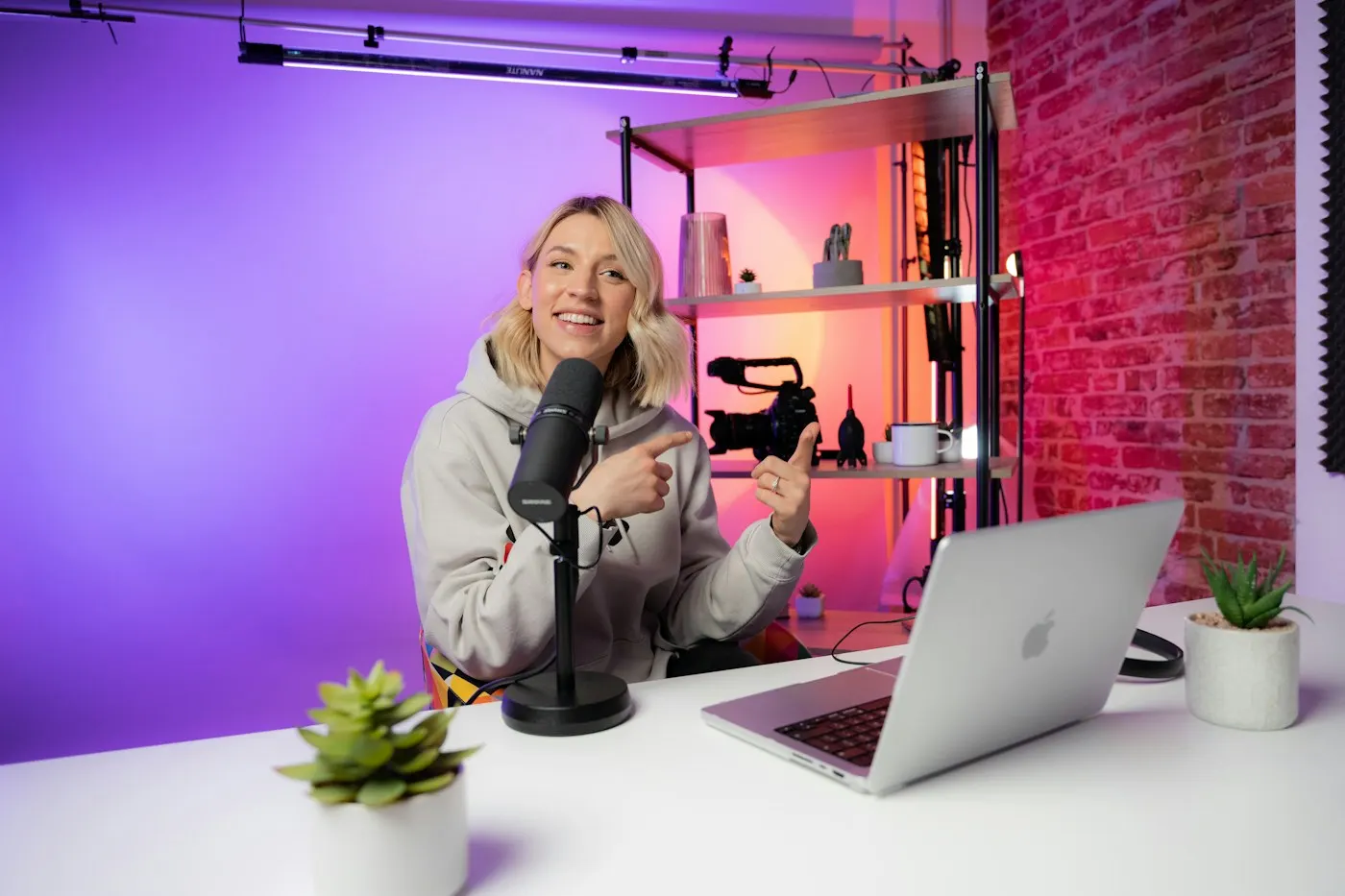
    A creator recording a video at a desk

    Educational Channels

    Paste a tutorial or explainer, generate review notes

    Learning from channels like CrashCourse, Khan Academy or a certification instructor? Turn each explainer into notes and questions so the watching turns into something you can test.

    A student working on a laptop with a cup of coffee

    Before the Exam

    Turn your saved playlist into a full practice set

    Generate one set per video in your review playlist, then study them together and take a practice test across the lot the week before the exam.

    Any video with a transcript

    Which videos work best

    If someone explains something out loud and the video has captions, it works. These kinds work especially well:

    • Recorded Lectures
    • Tutorials
    • Explainer Videos
    • Conference Talks
    • Cert Courses
    • Documentaries
    • How-To Videos
    • Webinars

    Weaker: videos where the teaching is on screen but not spoken, such as a silent coding demo, a maths problem worked on a whiteboard with little narration, or a music-heavy video. The transcript is all the AI sees.

    Honest limits

    What to Expect

    Paste a one-hour lecture link and get a quiz, flashcards or a study guide in about a minute. Quality follows the captions: a clear speaker with good captions gives sharper questions than a fast, noisy video.

    Questions come from what the video says, not from a pre-made bank. That makes them match your lecture, and it also means a mistake the speaker makes can turn up in a question.

    These are practice questions, not official course content. When an answer surprises you, read the explanation, and check the video at that point if you still disagree.

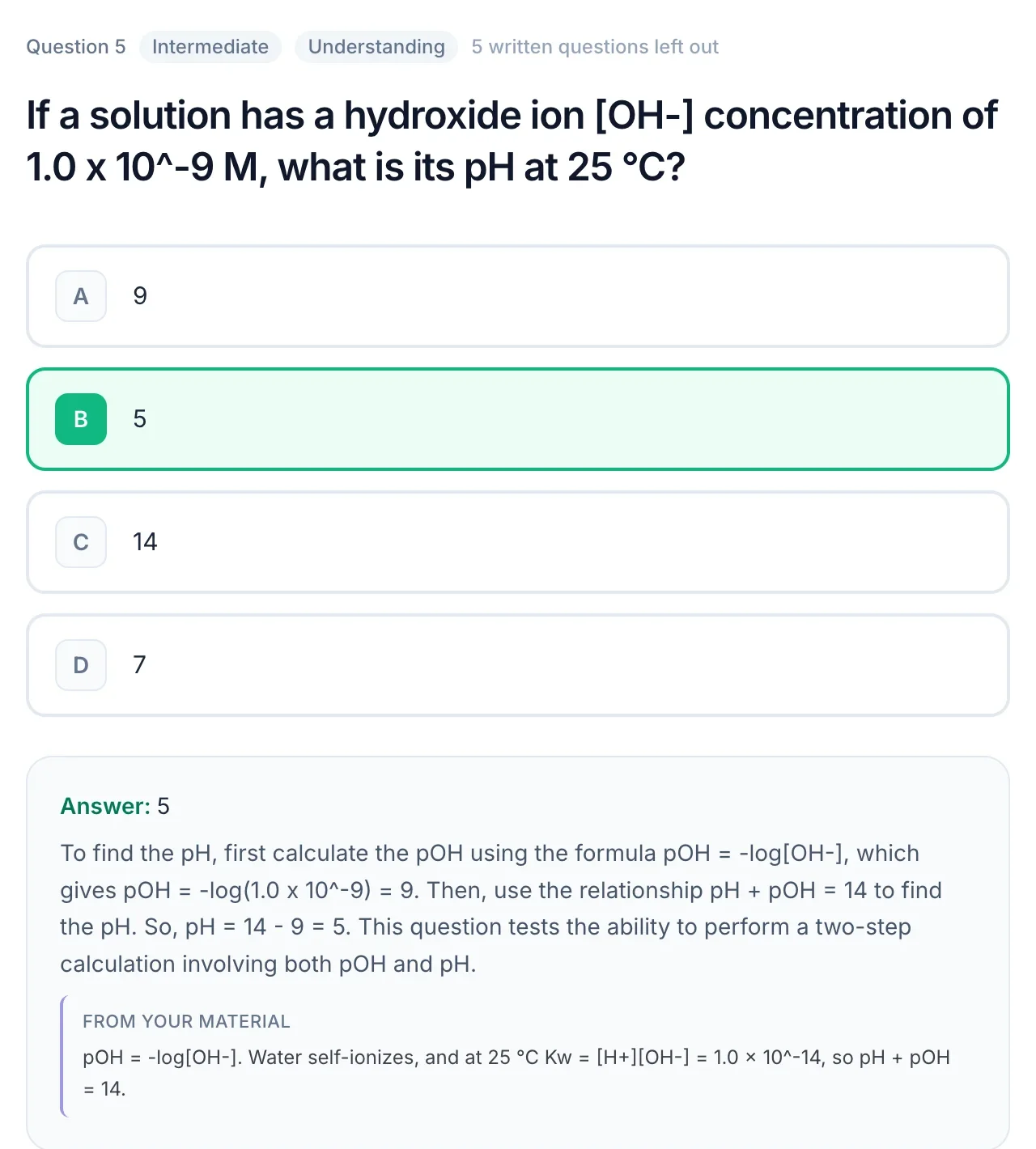
    A practice question about pH with the correct answer, a worked explanation and a quote from the source material

    Compare

    Quizzing vs rewatching vs taking notes by hand

    Three ways to study a lecture video, and what each is good for.

    QuerySpark quizRewatchingNotes by hand
    Tells you what you do not knowYes, by score and missed questionsNoOnly when you test yourself from them
    Time per one-hour videoAbout a minute to generate, then the quizAnother hourAt least the length of the video
    Brings it back before the examSpaced review of missed questionsOnly if you rewatchOnly if you reread
    Good forChecking and fixing what stuckA section you missed entirelyBuilding understanding while you watch

    Comparing AI tools for video? See QuerySpark vs NotebookLM.

    Popular study sets

    Made with QuerySpark from real course material. Open one and start studying, no account needed.

    Frequently asked questions

    Copy the video's link, paste it into QuerySpark and choose the question types. It reads the transcript and writes a quiz of usually 10 to 20 questions, each with an explanation, in about a minute. You can also make flashcards and a study guide from the same link.

    Yes, to start. A free account begins with a 3-day Pro trial with no card, and the free plan then includes 1 YouTube video a month. Student ($9/month) includes 50. Without an account, you can paste up to 6,000 characters of a transcript into our free question generator.

    The link will not work, because QuerySpark reads the video's captions and there is nothing to read. If you have the recording as a file, such as a lecture your professor shared, upload it instead (up to 25 MB) and it is transcribed. Otherwise, upload the slides or notes from the same lecture.

    Yes, through CSV. Generate flashcards from the video, export the deck as CSV, then copy the Front and Back columns from a spreadsheet into Quizlet's import box with Tab selected. There is no direct publish to Quizlet.

    Yes. From the same link QuerySpark can write a study guide in three styles: a quick review, a comprehensive guide or an exam prep sheet. Notes are best read once, then followed by the quiz so you find out what actually stuck.

    Yes, but one run writes 10 to 20 questions, which cannot cover every point of a two-hour lecture. Use the first set to find your gaps, and rewatch just those sections.

    They are written from the transcript and each comes with an explanation. Quality follows the captions: a clear lecture with good captions gives sharper questions than a fast, noisy video with messy auto-captions. Check the explanation when an answer surprises you.

    NotebookLM is a strong free choice for asking questions about a video and summarising it alongside other sources. QuerySpark is built around practice: exam-style questions with explanations, practice tests with a score, spaced review of what you miss, and exports for Anki, Quizlet and LMSs.

    Yes. Your study sets and uploads are private by default, are never used to train AI models, and you can delete them at any time.

    Still stuck? Email us.

    Turn Your Next Lecture Video Into a Quiz

    Start a free 3-day Pro trial, paste your first YouTube link and take the quiz. No credit card required.