AI Quiz Generator: quizzes and practice tests from your own material

    Upload a PDF, slide deck, Word file or lecture recording, paste your notes, or add a YouTube link. QuerySpark writes a quiz with every answer explained in about a minute, ready to study, assign or export.

    • No credit card
    • Free plan after the trial
    • Cancel anytime
    Cardiac cycle · Study set

    Drop a PDF, slides or notes

    or paste a YouTube link

    Quick answer

    What is an AI quiz generator?

    An AI quiz generator reads material you give it, such as notes, a PDF, slides or a video transcript, and writes quiz questions with an answer key from it. In QuerySpark a run takes about a minute and gives 10 to 20 multiple choice, true/false, short answer or essay questions, each with an explanation. You can try it free on pasted text without signing up, or start a 3-day Pro trial with no card.

    • Reads PDFs, slides, Word, photos, recordings, YouTube and links
    • Take any quiz as a scored practice test
    • Assign to a class that joins with a code
    • Export QTI, Moodle XML, CSV, Word or PDF

    Made for the exams and classes you are studying for

    • NCLEX
    • MCAT
    • AP Biology
    • USMLE Step 1
    • CPA
    • AP US History
    • Pharmacology
    • Anatomy and Physiology
    • LSAT
    • CompTIA Security+
    • Organic Chemistry
    • Microeconomics
    • GCSE Science
    • AP Psychology
    • Bar exam
    • Pathophysiology
    • Calculus
    • IB Biology
    • World History
    • Physics
    • Biochemistry
    • Statistics
    • PMP
    • Intro to Psychology

    How it works

    How the AI quiz generator works

    From your material to a quiz you can take, share or export.

    1. 01

      Add your material

      Upload a PDF, Word file, slide deck or photo of your notes, a recording up to 25 MB, or paste text, a web link or a YouTube link. Recordings are transcribed and photos are read with OCR.

    2. 02

      Choose the question types

      Pick multiple choice, true/false, short answer, essay or a mix. The AI writes 10 to 20 questions from the material, each with one correct answer and an explanation.

    3. 03

      Study, assign or export

      Take it as practice questions or a scored test, assign it to a class, or export it as PDF, Word, CSV, QTI or Moodle XML. Every question can be edited first.

    Typed text and clean PDFs give the sharpest questions. Photos of neat handwriting work; very messy handwriting can lose words.

    Question types

    Which question type should your quiz use?

    Match the format to how you will be tested. A mix usually works best.

    • Multiple choice

      Use it for definitions, mechanisms and anything your exam tests as recognition. Four options, one correct answer. It is the fastest format to drill, so it suits a daily review.

    • True/false

      Good for catching misconceptions, such as a statement that is almost right. Weak on its own because you can guess half of them, so mix it with another type.

    • Short answer

      Makes you produce the answer instead of spotting it, which is harder and closer to most written exams. Compare your answer with the explanation rather than looking for an exact match.

    • Essay

      For subjects where the exam asks you to argue or compare, such as history, law or literature. Use the prompt to plan an answer in five minutes, then check it against the explanation.

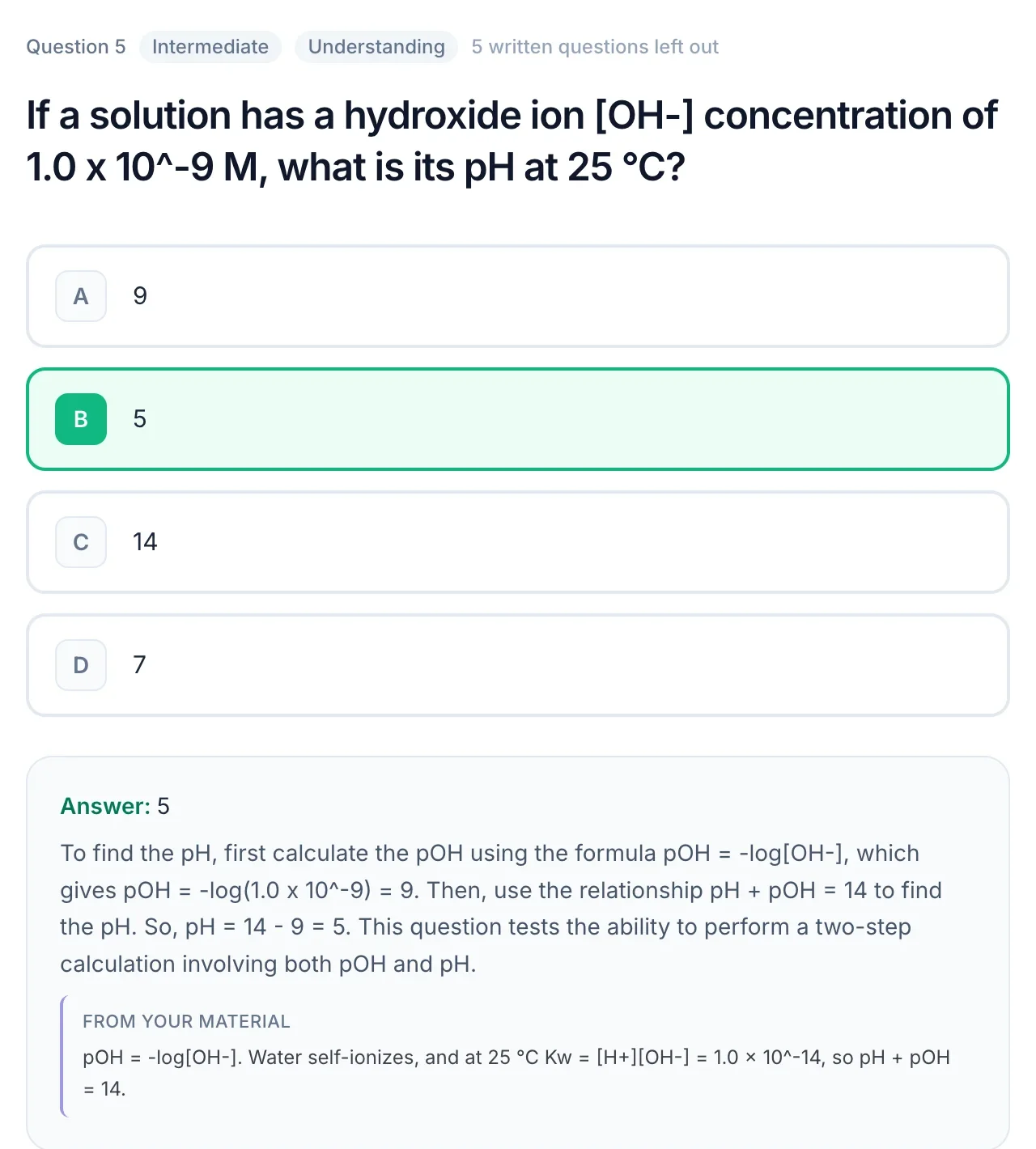
    A practice question about pH with the correct answer, a worked explanation and a quote from the source material

    AI quiz generator from text: what to paste for a good quiz

    Paste the passage you need to learn, not a summary of it. A quiz can only test what is in the text, so two dense paragraphs from your textbook give better questions than a page of bullet points with no explanations in them.

    • Include the reasoning. "Enzymes lower activation energy, so the reaction runs faster at body temperature" gives a question about why. "Enzymes: catalysts" only gives a definition.
    • Keep one topic per quiz. Three unrelated topics in one paste spread 10 to 20 questions thin across all of them.
    • Strip the clutter. Page numbers, headers and copied navigation text waste characters on the free generator, which takes up to 6,000.

    Have a whole document instead of a passage? Upload it rather than pasting; see the PDF to quiz generator for what works best with files.


    Is there a free AI quiz generator with no sign up?

    Yes. The free question generator runs without an account: paste text, and it writes multiple-choice questions with explanations, 3 times a day per visitor. It is the real generator, not a canned sample, so it is a fair test of the quality before you sign up.

    What needs a free account: uploading files (PDFs, slides, recordings), YouTube links, flashcards, study guides, practice tests and saving your quizzes. A new account starts with a 3-day Pro trial, no card, and then keeps a free plan with 20 questions, 20 flashcards and 1 study guide a month.

    AI test maker: turning a quiz into a practice test

    A quiz and a test use the same questions; what changes is when you see the answers. In practice question mode you get feedback after each question, which is how you learn new material. In practice test mode you answer everything first and get a score at the end, which tells you whether you are ready.

    A simple routine for an exam two weeks out: quiz yourself on each chapter as you finish it, then take a practice test across all of them a week before, and spend the last week only on what you missed. The notes to practice test tool goes deeper on building a mock exam from your notes.

    When an AI quiz generator is the wrong tool

    If you want a live, game-style quiz for a classroom, with a timer and a leaderboard on the projector, use a tool built for live play. QuerySpark is for studying and for assignments students complete on their own.

    If the questions are going into a high-stakes exam, treat the AI's output as a first draft. It saves the hours of writing, but someone who knows the course should read every question before it counts towards a grade.

    Who it is for

    AI quiz generator for students and teachers

    The same generator, used three different ways.

    A student working on a laptop at a desk

    Students

    A quiz for every lecture, a test before the exam

    Generate a quiz the day of the lecture, take it again as a scored practice test the week before the exam, and let spaced review bring back what you missed. If you do not have notes yet, open a public set in Explore and study it without an account.

    A teacher asking a question in a classroom

    Teachers

    Draft a quiz from the reading you already assign

    Generate from your handout or slides, edit anything you would phrase differently, then assign it to a class that joins with a code. You see each student's progress and score. Or export QTI for Canvas, Blackboard and D2L, Moodle XML, or Word for paper.

    A professional studying at a laptop

    Professionals and trainers

    Check understanding of a manual or policy

    Upload the training document or policy PDF and generate questions to check that people have read the parts that matter. Export to Word or PDF for a sign-off quiz, or study it yourself before a certification.

    Teaching a class? The QuerySpark for teachers page covers classes, join codes and assignments.

    Popular study sets

    Made with QuerySpark from real course material. Open one and start studying, no account needed.

    Frequently asked questions

    Yes. QuerySpark's generator on pasted text is free with no sign-up, 3 times a day. With an account you get a 3-day Pro trial with no card, then a free plan with 20 questions and 1 study session a month.

    Yes. Paste up to 6,000 characters of notes or textbook text into the generator on the AI question generator page and it returns multiple-choice questions with explanations. It works 3 times a day per visitor. Uploading files, flashcards and study guides need a free account.

    Yes. Upload a PDF of up to 120 pages, including scanned pages, which are read with OCR. A run takes about a minute and usually gives 10 to 20 questions; generate again for the next chapter.

    Multiple choice, true/false, short answer and essay. Every question has one correct answer and an explanation. It does not write select-all-that-apply questions.

    Yes. Teachers can create classes with a join code, assign quizzes, and see each student's progress and scores. Quizzes export as QTI for Canvas, Blackboard and D2L, Moodle XML, Word, PDF and CSV. There is no direct Google Forms or Google Classroom export.

    Yes. Any quiz can be taken as a practice test: you answer every question, get a score at the end, then review explanations for the ones you missed.

    Most are accurate, but AI can misread a table or miss context. Every question comes with an explanation and most show the passage they were written from, so you can check quickly. Review and edit questions before using them in a graded assessment.

    The free plan includes 20 generated questions a month after the trial. Student ($9/month, or $7/month billed yearly) includes 1,000 a month, and Educator ($29/month) has no monthly caps.

    Uploads are private by default, are never used to train AI models, and you can delete your content or account at any time.

    Still stuck? Email us.

    Start Generating Better Quizzes

    Try the text generator without signing up, or start a 3-day Pro trial with no card required to upload and save your work.