Reviewed August 3, 2026, sources linked below
QuerySpark vs Turbo AI
Which AI study tool actually fits you?
Turbo AI is the new name for TurboLearn. Here is a side-by-side breakdown of features, pricing and workflow, including where Turbo AI is the better choice.

QuerySpark
Exam-style practice questions from your own documents, spaced repetition built in and a published $9 Student plan. For students who want serious practice, fast.
- 4 question types incl. essay
- Spaced repetition built in
- 3-day Pro trial, no credit card
Turbo AI
Formerly TurboLearn. An AI notetaker that turns lectures, PDFs and videos into notes, quizzes and other study activities, on the web and mobile.
- Listens to lectures and takes notes
- Quizzes and activities from your notes
- Website plus mobile app
Quick answer
QuerySpark or Turbo AI (TurboLearn): which should you choose?
Choose Turbo AI, the new name for TurboLearn, if you want an AI notetaker that listens to your lectures and turns them into notes, quizzes and activities, with a mobile app for recording in class. Choose QuerySpark if you study mostly from PDFs, slides and notes and want exam-style practice: four question types with explanations, flashcards on spaced repetition, and a published $9 Student plan you can try for 3 days without a card.
- Pick Turbo AI for
- Taking notes during live lectures and studying on your phone.
- Pick QuerySpark for
- Practice exams from documents you already have, with reviews scheduled for you.
Quick verdict
QuerySpark
Best when exam-style practice questions and retention are the goal. Four question types at the cognitive level you choose and built-in spaced repetition on a $9 Student plan.
Turbo AI
Best when lecture note-takingis your primary need. Turbo AI listens to lectures and turns them into notes, quizzes and activities. If capturing class is the main job, it's purpose-built.
Feature comparison
Every feature that matters, side by side. Not listed means we could not find it on Turbo AI's website.
| Feature | QuerySpark | Turbo AI |
|---|---|---|
| AI Question Generation from PDFs | Yes | Yes |
| Upload PDFs, Notes, Slides | Yes | Yes |
| Records Lectures Live | No | Yes |
| Upload a Lecture Recording | yes (up to 25 MB) | Yes |
| YouTube Lecture Import | Yes | Yes |
| AI Note-taking / Summaries | Study guides | Yes |
| Flashcard Generation | Yes | Yes |
| Exam-style Quiz Generation | Yes | Yes |
| Question Types | MCQ, T/F, Short Answer, Essay | MCQ, fill-in, open response |
| Bloom's Taxonomy Levels | Yes | Not listed |
| Built-in Spaced Repetition | Yes | Not listed |
| CSV / PDF Export (Anki via CSV) | Yes | Not listed |
| LMS Export (QTI / Moodle XML) | Yes | Not listed |
| Pre-made Study Guides | Public sets in Explore | AP guides and books |
| Mobile Apps (iOS / Android) | No | Yes |
| Free Tier | 3-day Pro trial, then 1 session/mo | Free to start |
| Starting Price | $9/mo (Student) | Not published on site |
TurboLearn vs Turbo AI: is it the same app?
Yes. TurboLearn AI shortened its name to Turbo AI and moved to turbo.ai. Its rebrand page says accounts, data, mobile apps and pricing stayed the same, and old turbolearn.ai links redirect automatically. Reviews and videos that mention TurboLearn are describing the same product, so everything on this page applies to both names.
Is Turbo AI (TurboLearn) free?
You can start for free, but we cannot quote its paid prices. Turbo AI's website invites you to start for free and did not list plan prices when we checked on August 3, 2026; paid plans are shown inside the app. Check the offer there before you rely on the free tier for a whole semester.
QuerySpark publishes its numbers: a 3-day Pro trial with no card, then a free plan with 1 study session, 20 questions, 20 flashcards, 10 PDF pages and 1 YouTube video a month. Student is $9 a month, or $7 a month billed yearly. See the full plan comparison.
Recording lectures vs uploading what you already have
This is the biggest difference. Turbo AI is built around an AI notetaker that listens to your lecture and writes notes, which you can then review with quizzes and other activities. It also takes PDFs, YouTube videos and your own notes.
QuerySpark does not record class for you. You upload the recording afterwards (audio or video up to 25 MB, transcribed for you), or add the PDF, slides, a photo of your notes or a YouTube link. If you want to turn a lecture recording into a quiz after class, QuerySpark handles it; if you want your phone to take notes during class, Turbo AI is the better tool.
Inside QuerySpark
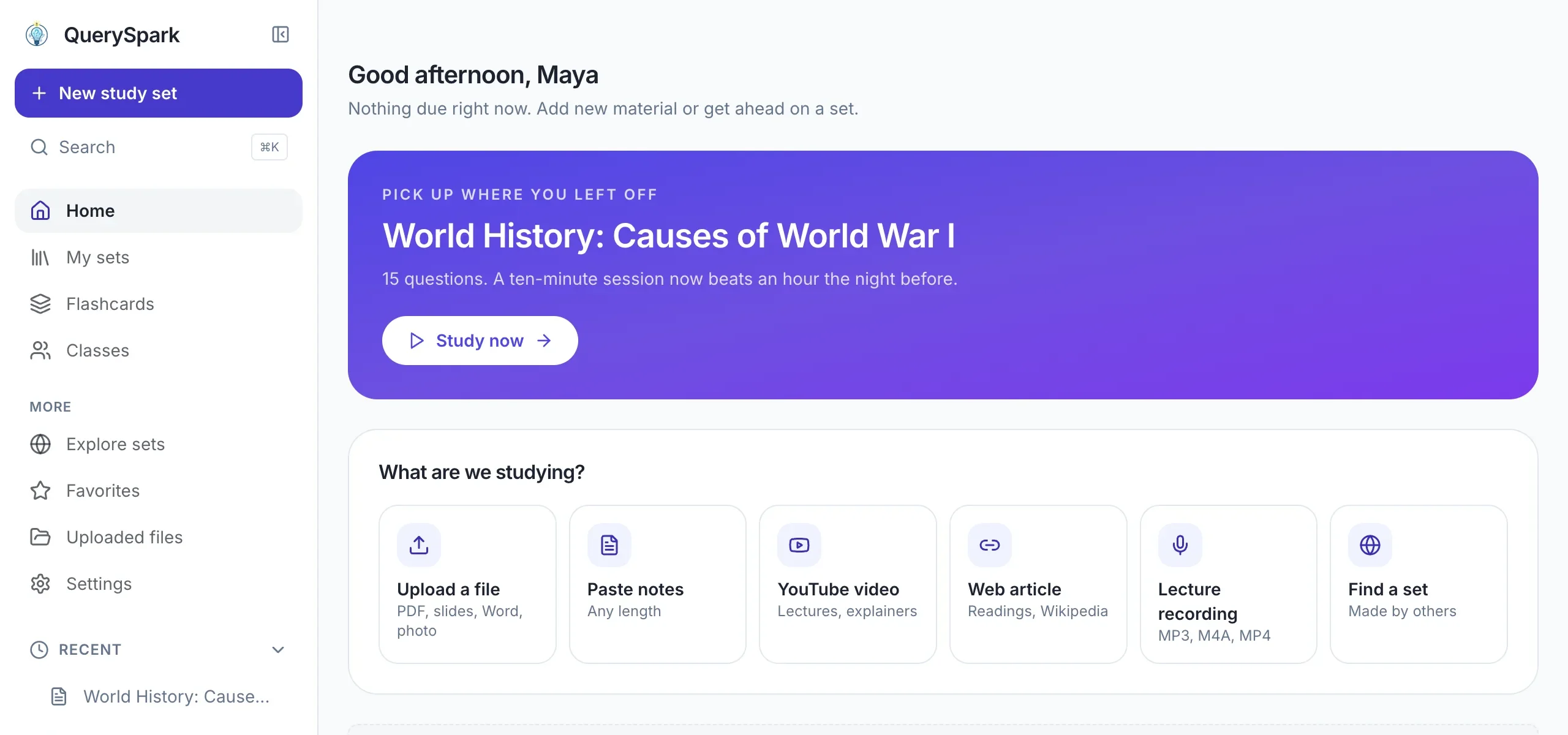
Start from whatever your course gives you
Upload a file, paste notes, or add a YouTube video, a web article or a lecture recording. QuerySpark turns it into questions, flashcards and a study guide.
Practice questions and remembering what you studied
Both generate quizzes from your material. Turbo AI's site shows multiple choice, fill-in-the-blank and open-response questions and promises practice "until it clicks". QuerySpark makes multiple choice, true/false, short answer and essay questions, explains every answer, and on most questions shows the passage from your material the question came from.
Where they differ is review. QuerySpark schedules flashcards with spaced repetition, brings back missed questions and scores practice tests. Turbo AI's website does not describe a spaced repetition schedule, so if timed reviews matter to you, check inside the app before committing.
Turbo AI vs StudyFetch, NotebookLM and Quizlet
People comparing Turbo AI usually look at these three as well. In short:
- StudyFetch is the closest match: it also records lectures and generates notes, and adds an AI tutor, flashcards with a spaced learning hub and an iOS app. See QuerySpark vs StudyFetch.
- NotebookLM is Google's source-grounded notebook. It is strongest at answering questions across many sources and making audio overviews, rather than taking notes in class. See QuerySpark vs NotebookLM.
- Quizlet is a flashcard platform with a large library of sets made by other students and mature mobile apps. See QuerySpark vs Quizlet.
When to choose each
Choose QuerySpark if…
- You want exam-style question depth. QuerySpark writes multiple choice, true/false, short answer and essay questions at the cognitive level you choose, each with an explanation.
- Retention is the priority. Flashcards are scheduled with spaced repetition and the questions you miss come back, so material sticks past the next lecture.
- You want a published monthly price. QuerySpark publishes a $9 monthly Student price. Turbo AI did not show plan prices on its website when we checked, so compare its in-app offer directly.
- Your inputs are documents, not live audio. If you study from PDFs, notes and slides rather than recording lectures, QuerySpark's document-first workflow is a faster fit.
Choose Turbo AI if…
- Lecture note-taking is your primary need. Turbo AI listens to your lectures and takes notes for you. If that is the core job, it is purpose-built for it and QuerySpark is not.
- You want notes, flashcards and quizzes in one pass. Turbo AI generates several study activities from a single lecture, which is convenient for class-heavy schedules.
- You study on your phone. Turbo AI has a mobile app that stays synced with the website. QuerySpark runs in the browser and has no mobile app.
- You want ready-made AP material. Turbo AI offers a library of pre-made AP study guides and books. Its website does not document Bloom-level targeting or LMS exports.
Pricing comparison
How the two platforms stack up on cost
QuerySpark
3 Plans
- Free
- $0/mo, 1 session/mo
- Student
- $9/mo or $7/mo yearly
- Educator
- $29/mo or $24/mo yearly
Every new account starts with a 3-day free Pro trial, no credit card. Spaced repetition, flashcards, all four question types and QTI and Moodle XML export on every plan.
Turbo AI
Free + Paid
- Free
- Free to start
- Paid plans
- Shown in the app
Lecture note-taking, quizzes, activities and mobile access are advertised. Turbo AI did not publish plan prices on its website when we checked, and says its rebrand did not change pricing.
Frequently asked questions
Yes. TurboLearn AI renamed itself Turbo AI and moved to turbo.ai. The company says accounts, data, mobile apps and pricing did not change, and old turbolearn.ai links redirect to the new site.
Turbo AI lets you start for free. Its website did not publish paid plan prices when we checked, so the current limits and prices are shown inside the app. Check them there before planning a semester around the free tier.
New accounts get a 3-day Pro trial with no credit card. After that the free plan includes 1 study session, 20 questions, 20 flashcards and 10 PDF pages a month. You can also try the question generator on pasted text without an account, 3 times a day.
No. QuerySpark does not record class live. You can upload an audio or video recording of up to 25 MB afterwards and it is transcribed and turned into questions, flashcards and a study guide. If live note-taking is what you need, Turbo AI is the better fit.
Yes. Turbo AI says you can learn across its website and mobile app, and its rebrand kept the mobile apps. QuerySpark has no mobile app and runs in the browser.
If you study from documents and want exam-style questions, QuerySpark is built for it: four question types with explanations, source passages on most questions, spaced repetition flashcards and scored practice tests. If your material starts as lectures you attend, Turbo AI's note-taking may save you more time.
Yes. Questions export as PDF, Word, text, Markdown, CSV, JSON, QTI for Canvas, Blackboard and D2L, and Moodle XML. Flashcard decks export as CSV, which Anki and Quizlet can import. There is no direct one-click sync to Anki or Quizlet.
Knowt is the closest free option for recording lectures: its site offers an AI lecture notetaker and free flashcards with unlimited Learn mode. If you study mostly from PDFs and notes, QuerySpark's trial and free plan are another option. Our TurboLearn alternatives page compares six tools.
Still stuck? Email us.
Try QuerySpark Free, No Card Required
Generate your first set of exam-style questions in about a minute. See why practice and spaced reviews beat note-taking alone when the test is what counts.